
Have you considered signing up for KelbyOne, but aren’t sure if it’s worth the investment? This KelbyOne review closely examines KelbyOne and what it offers photographers of all skill levels.
We’ll cover the cost, content, and overall value to help you decide if KelbyOne is right for you. So let’s dive in.
What is KelbyOne?
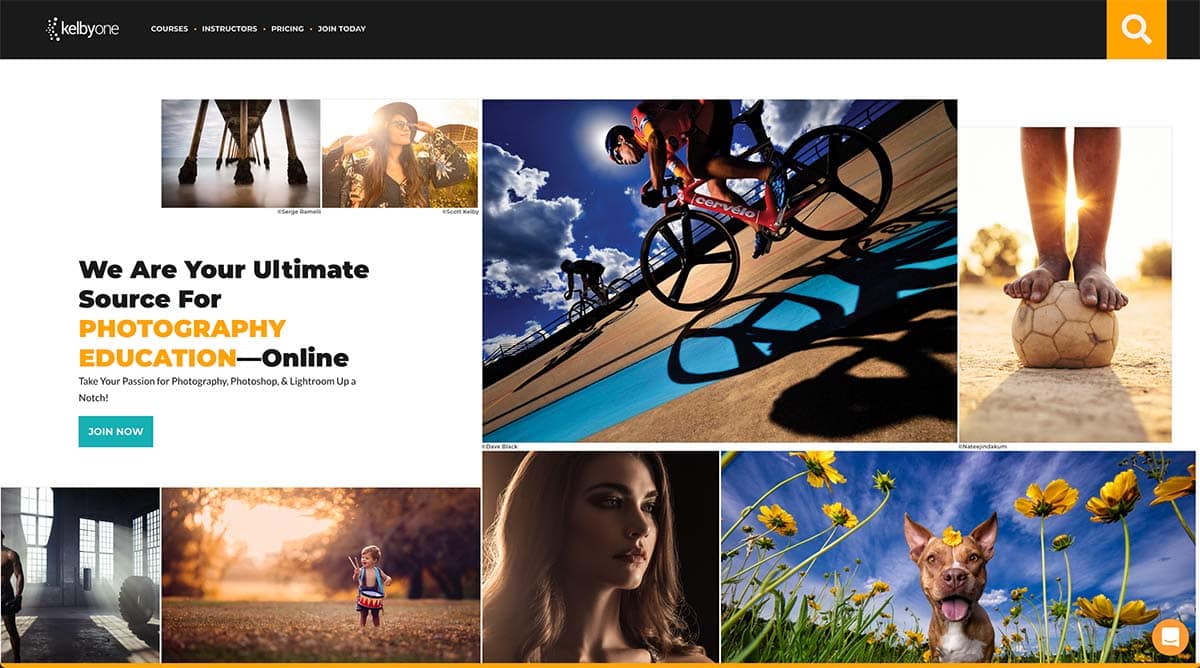
KelbyOne is a membership service for photographers that provides training in different genres of photography and post-processing.
It also offers a community discussion group and discounts on photography-related products and services.
KelbyOne offers subscription plans by month or annually. You can also purchase an individual course with lifetime access for a non-recurring fee.
The courses are comprehensive and provide a wealth of knowledge, with the bonus of being able to connect and engage with other members in the KelbyOne community.
Here’s an example of what you can find inside KelbyOne.
When I first joined, there were two separate businesses – Kelby Training and the National Association of Photoshop Professionals (NAPP). The KelbyOne platform combines the online educational platform with the membership aspect.
Scott Kelby and the KelbyOne team provide different learning tracks for Lightroom and Photoshop, photography skills, and so many other courses.

KelbyOne Pro
KelbyOne is the perfect resource for anyone looking to improve their photography skills.
Whether you're a beginner or a seasoned pro, there's something for everyone at KelbyOne. They offer courses on all aspects of photography, emphasizing Photoshop and Lightroom for post-processing.
Professional photographers, led by Scott Kelby, offer a new course every week, so you can always keep your skills fresh. And best of all, membership gives you access to everything they offer so that you can learn at your own pace and improve your photography game.
KelbyOne offers Monthly and Annual pricing plans, so the plan that works best for you.
Get 10% Off the Pro Annual Subscription with Code WBEEM10, Only at KelbyOne!
Coupon Code: WBEEM10
Get 10% Off the Pro Monthly Subscription with Code WBEEM10M, Only at KelbyOne!
Coupon Code: WBEEM10M
- Excellent training for photography and photo editing
- Wide range of topics covered
- Multiple instructors
- Discounts and Perks for KelbyOne Pro members
- Free plan available
- You can purchase a course without a membership
- A few instructors are better at doing than teaching
- With years of developing courses, some are out of date.

Are Online Courses in KelbyOne?
All the courses are provided with an online computer training platform available by a web browser or mobile app. There’s even an Apple TV app to watch training tutorials on your couch if you wish.
Members can download a course using the KelbyOne app to watch KelbyOne training offline.
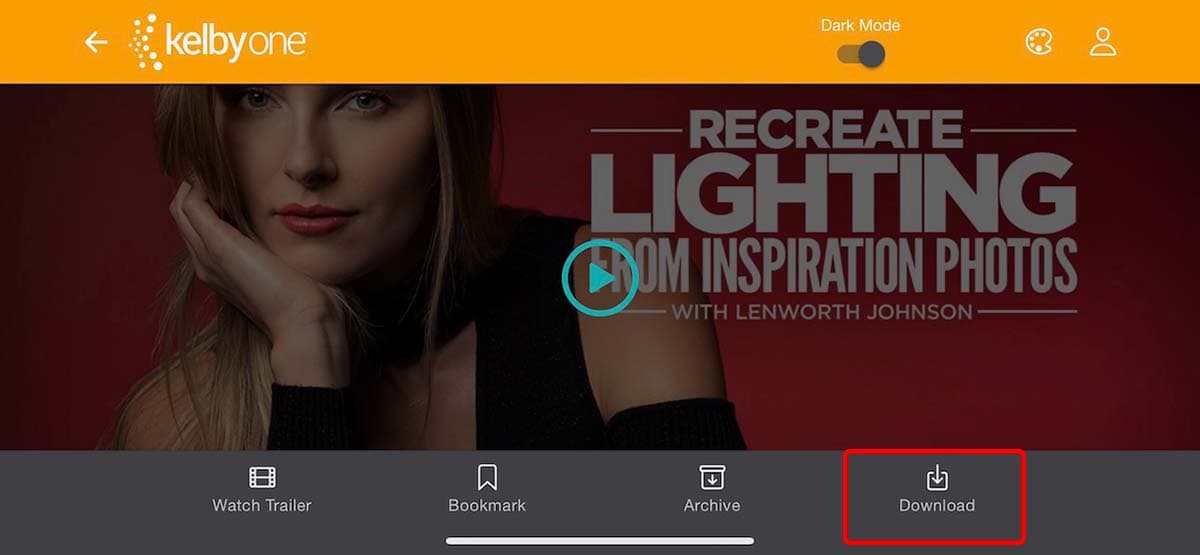
When viewing a course in the KelbyOne app, you’ll see a Download option on the lower menu bar.
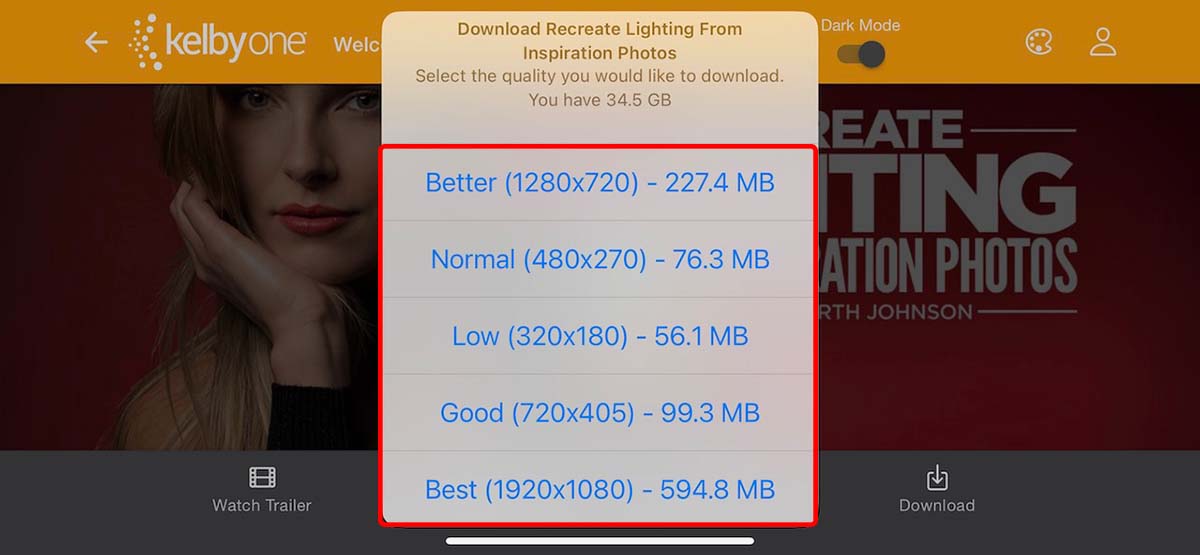
After clicking the Download button, you can choose the size or resolution of the video to store on your mobile device.
Downloads only work on the mobile app. There is no option to download courses from the Web interface.
There are hundreds of courses on KelbyOne. With so many courses, you need a way to filter them to find what you need. Fortunately, KelbyOne has one of the best learning platforms I’ve used to help you find the right courses.
Here are a few examples.
1: Start with Learning Tracks
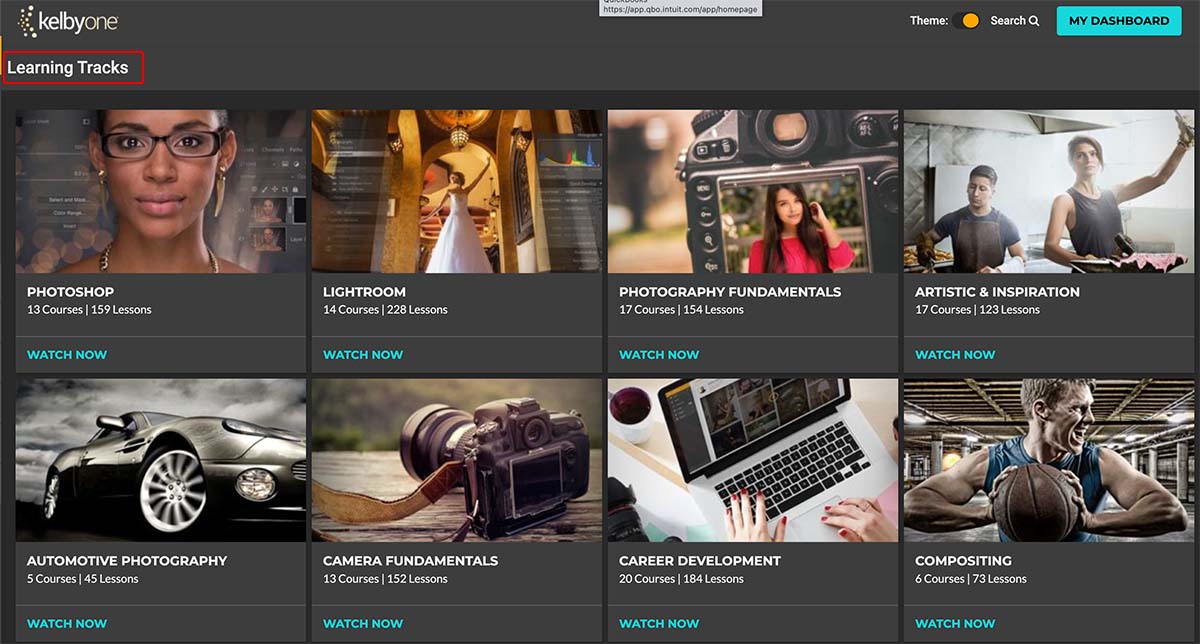
KelbyOne has 26 different learning tracks, each with several courses inside. You can see the number of courses and lessons within each learning track on the thumbnail.
Once you select a track, you can see the courses inside.
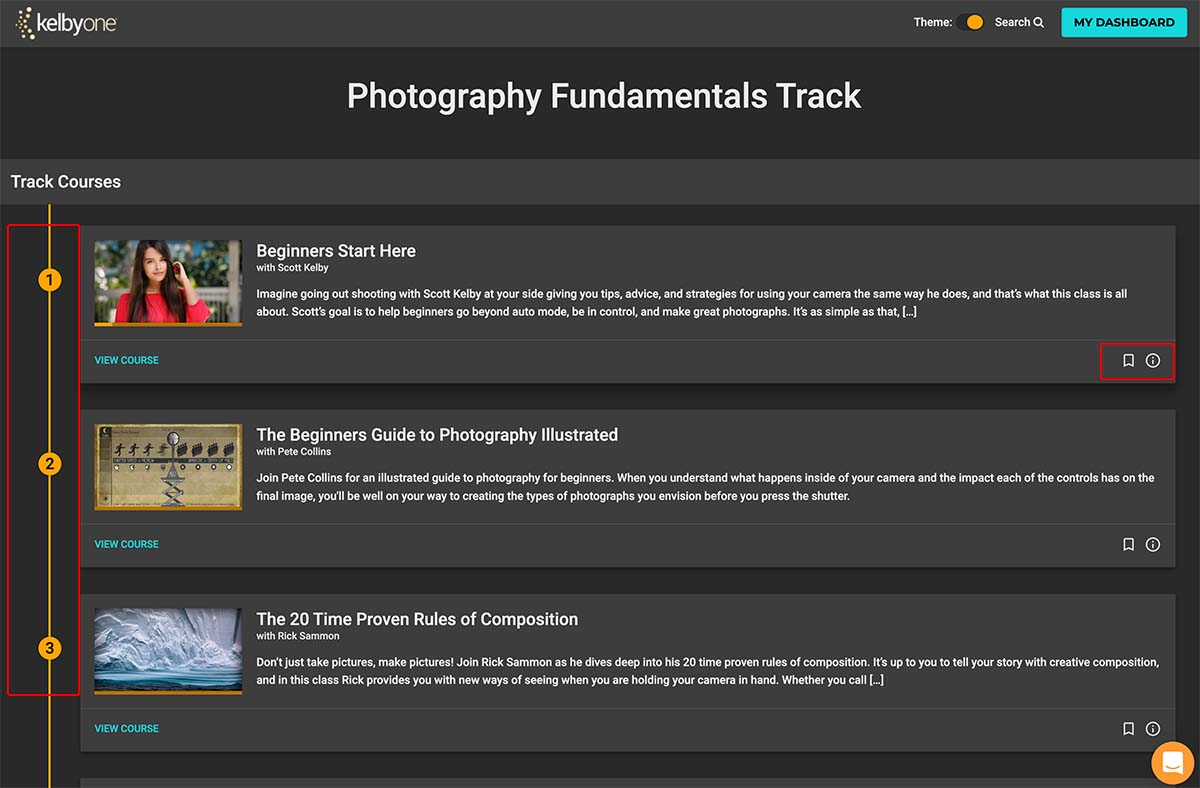
Courses are numbered along the left side. Each course has the option to bookmark it if you want to save it as a favorite. There’s also an Information icon that provides additional information about the course.
Here’s a list of the Learning Tracks available inside of KelbyOne.
2: Finding Courses by Search
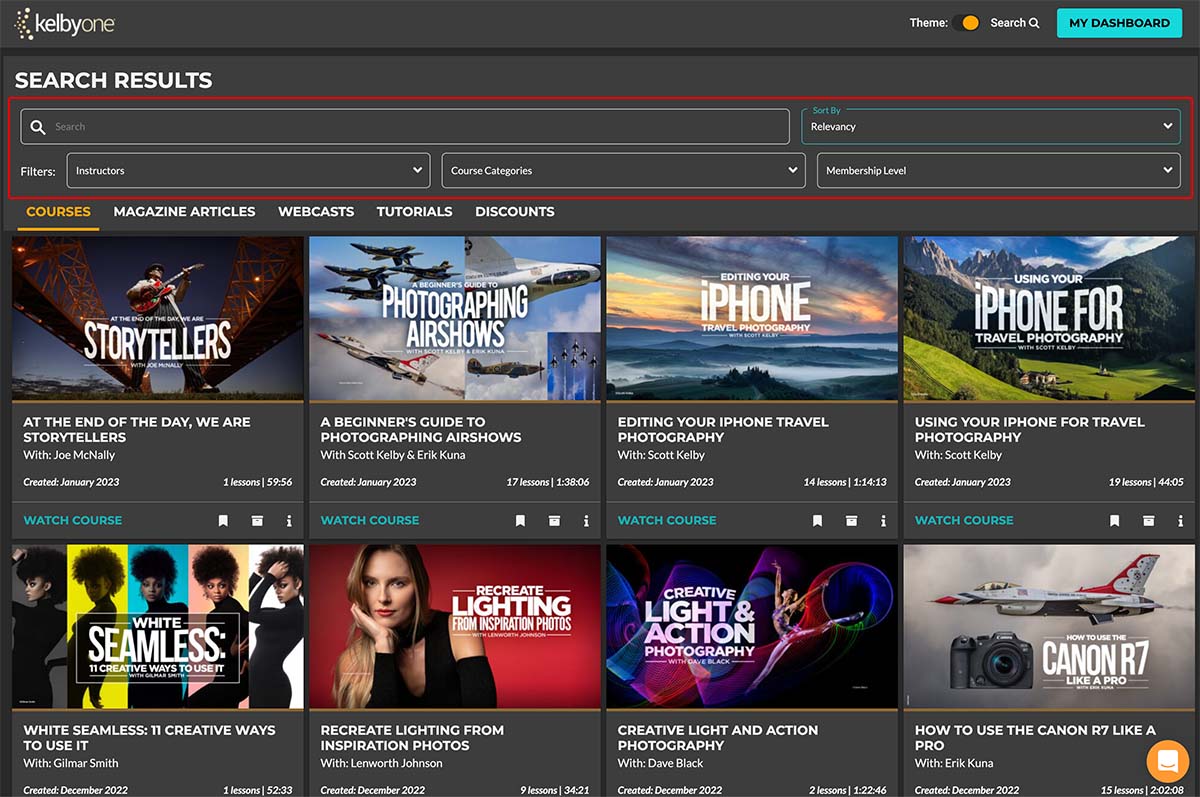
When you click on the Courses tab, see the most recently added courses at the start. However, you can easily use the search feature to find more courses and quick tutorials that the site offers.
You can type in a phrase to search or use one of the dropdown filters to narrow the list of courses. You can filter courses by the instructor, category, and membership level.
The number of courses available may vary depending on your membership level:
I’ll cover the different plans later in the article.
3: KelbyOne Photography Courses
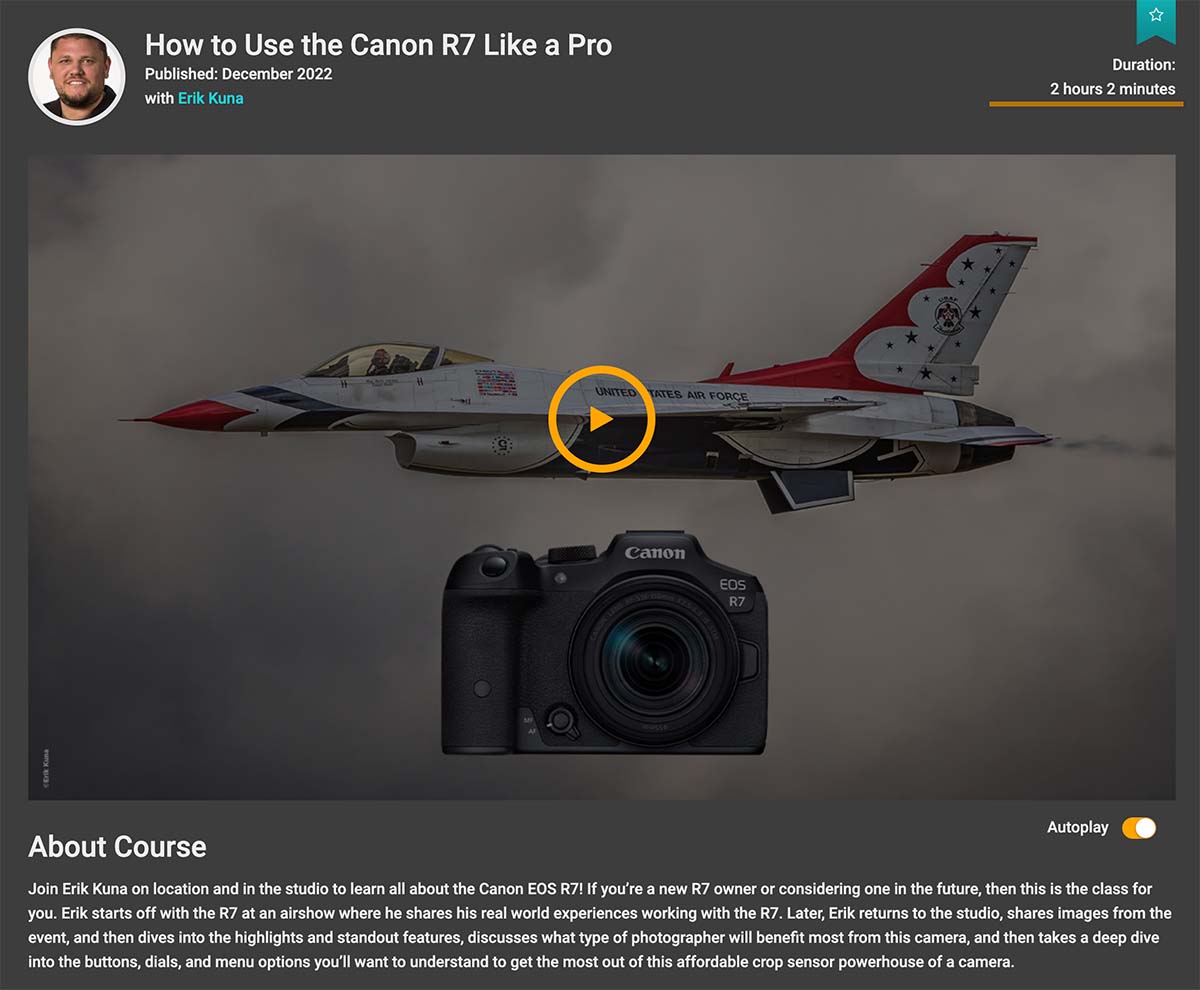
KelbyOne has courses for every photographer, from beginner to professional photographers. You can find a KelbyOne course on general concepts about photography to courses about specific camera brands or models.
They even include mobile phone photography training.
Getting started with understanding your camera and photography basics is fine, but the fun begins when you combine learning photography with your favorite subject.
I enjoy travel and portrait photography the most, and multiple courses feature those genres. However, sometimes you learn new ideas or concepts by watching a different genre.
Food photography is a great example. Maybe because I love seeing good food, but then I discovered that you don’t want to eat the food they use in food photography.
The part I find most useful about food photography is using light and shadows to make your subject more appealing. That’s something I can use in my photography.
It’s also helpful because food is a big part of travel photography.
People want to see the great meals you find in different locations.
4: Photo Editing Courses
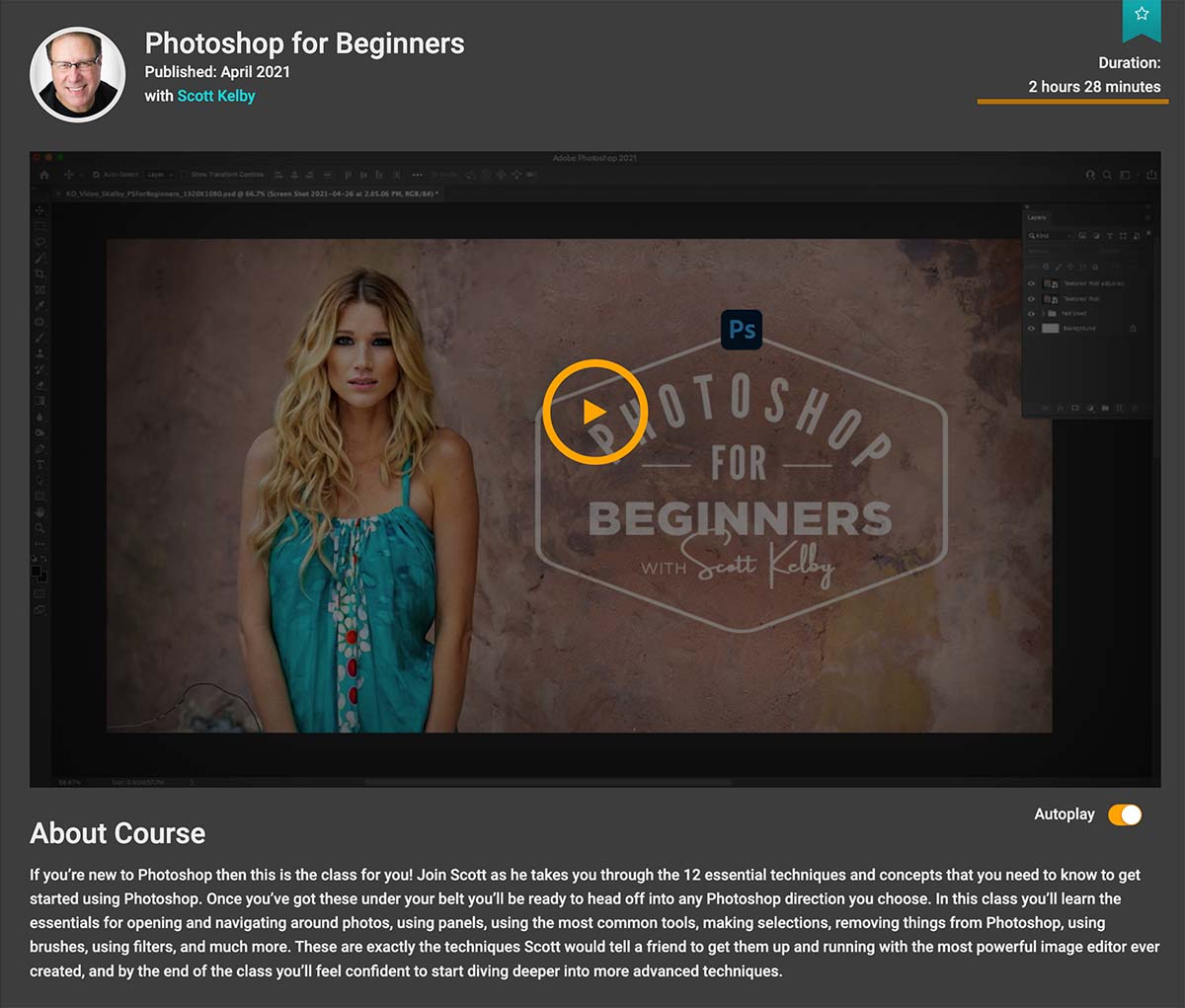
Once you’ve taken your photos, it’s time to finish them in post-processing. KelbyOne has a plethora of photo editing courses.
Scott Kelby teaches many courses on editing photos and learning Photoshop. However, KelbyOne also has a lot of instructors with specific industry experience. Kristina Sherk does an amazing job of teaching high-end retouching techniques.
It’s great to learn Photoshop and Lightroom, but honing your editing skills on specific techniques is a lot of fun. You can learn portrait retouching, color grading, compositing, and more.
You also learn how to organize and manage your photos in Lightroom. Scott Kelby’s Simplified Lightroom Image Management (SLIM) System gets you up to speed with an easily understood workflow.
Terry White does an outstanding job of showing how to use metadata to sort and find your photos.
When a software update comes out, KelbyOne will offer courses to show how to use the new features and benefits, so you’re always up to date on the latest tools.
5: Free Courses
KelbyOne has 20+ free courses for people who aren’t sure if they want to sign up for a subscription plan. Not only do you get to check out some KelbyOne courses, but you also get the current issue of Photoshop User for free.
Access to the free course membership doesn’t require a credit card. You must provide an email address to start.
6: How to Use the Course Environment
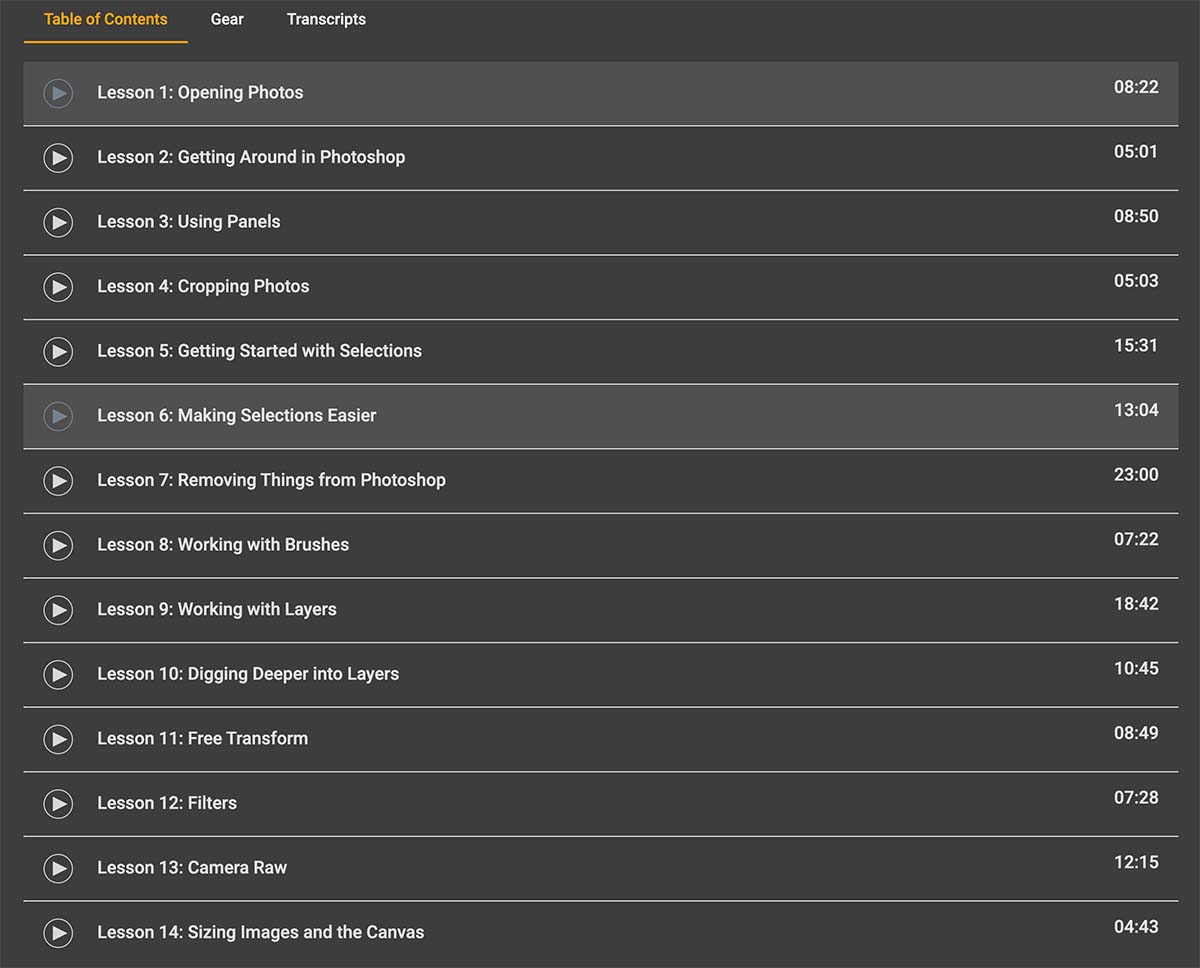
I’ve shown some examples of the top portion of a course so you can see how easy it is to get started. Under that big player is a Table of Contents, Transcripts, and sometimes other information or downloads related to the course.
The Table of Contents shows the lessons for the entire course. You can watch the course in order or jump to a specific lesson to view it.
The Table of Contents has a play button and the course title, which displays each lesson’s length.
Above the Table of Contents is a button that will take you to the interactive community forum for the course.
7: Using the Video Player
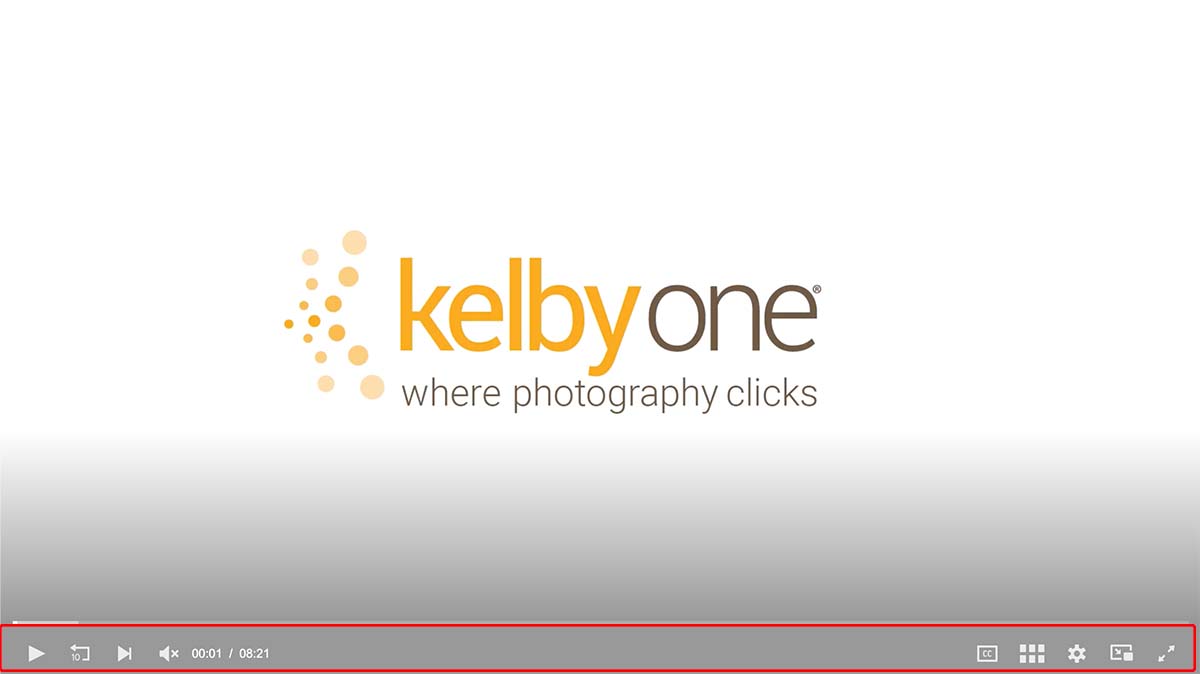
There are controls at the bottom of the video player. Here’s what they do, starting from left to right.
After a break in the middle, additional controls appear.
The Picture in Picture is particularly useful if you want to work along with the lesson. It displays the video in a smaller window on the lower right of your screen.
You can switch to another tool (like Photoshop) and work on something as the course continues.
With the tools in the online learning area, you can view courses at your own pace and try things out as you’re learning. It’s a great tool and
What Are the Perks Included with a KelbyOne Membership?
Who doesn’t love perks?
The type of perks you get depends upon your membership level, excluding the free plan.
KelbyOne membership breaks down into two types:
For either type of membership, you can choose a monthly subscription or an annual fee. The KelbyOne cost for annual plans is lower than if you paid for a year on the monthly plan.

If you have a group of 5 or more people, you can get a group membership at a negotiated rate. You can also purchase a membership as a gift for someone else.
1: Product and Service Discounts
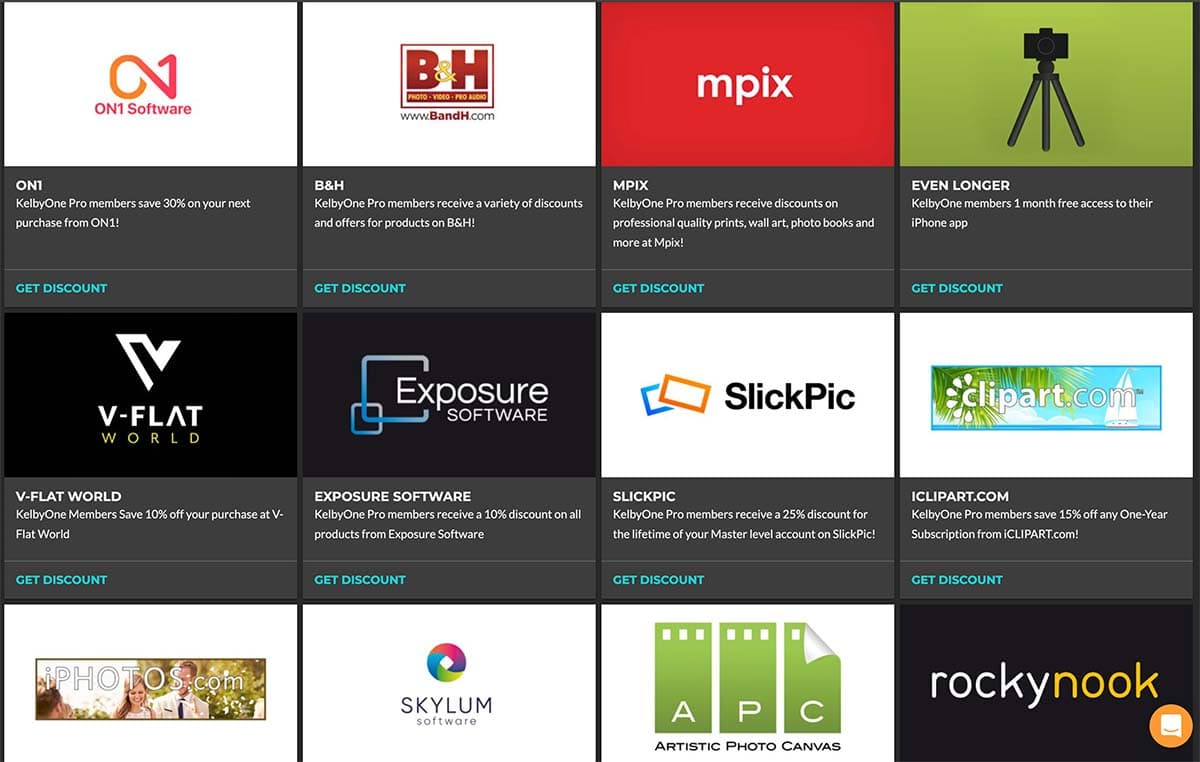
Exclusive discounts are one of the perks of the KelbyOne Pro membership.
If you’re in a buying mood, you could likely offset the cost of a KelbyOne Pro Annual Plan by using these discounts for software, printing, services, office supplies, and travel discounts from hotels and car rentals.
One of the things I like about the discounts is that they have quality vendors. My experiences using these discounts with printing services like APC and MPIX have been great. Both places have friendly customer service and provide quality prints.
2: Your Creative Toolkit
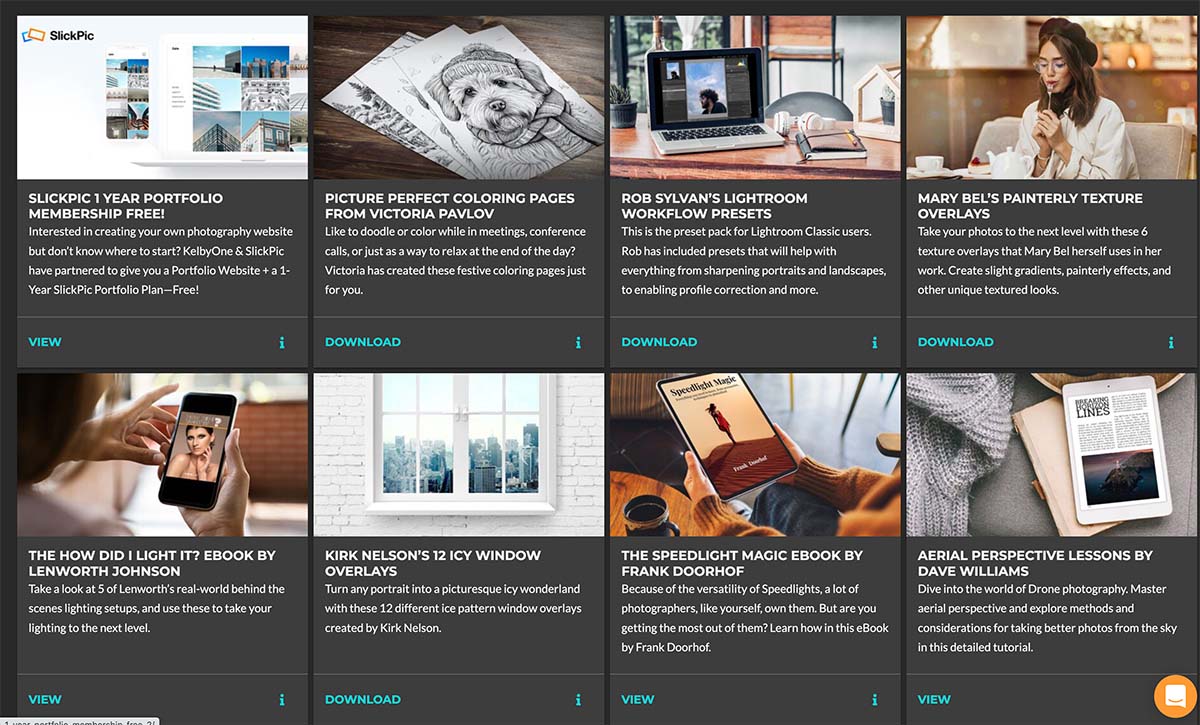
The items in the Creative Toolkit include ebooks, Lightroom presets, texture overlays, and even memberships for other services.
Eric Kuna’s replacement sky images feature everything from great sunset skies to night images of the Milky Way to use in your photos.
There are some great training videos from Frank Doorhoff showing Photoshop Masks and Selections, using a selective focus in Lightroom, Photoshop Actions from Kristina Sherk for portrait retouching, and much more.
This section has grown quite a bit since I last looked, so I think it’s time I start downloading some new assets from the toolkit.
3: Free Magazine
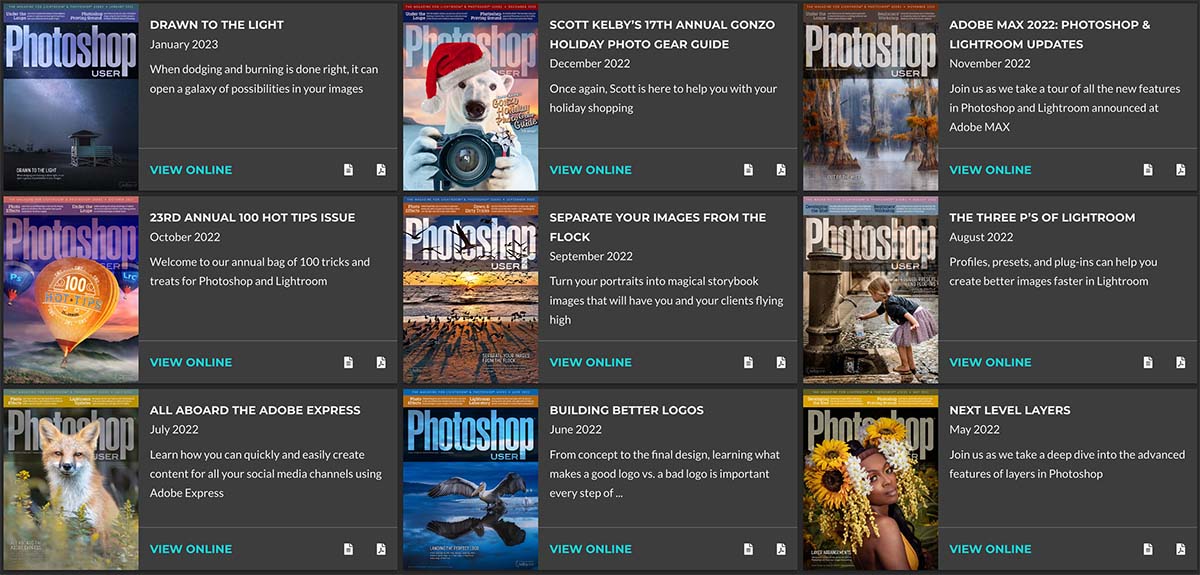
Photoshop User magazine comes monthly, full of useful articles on Photoshop, photography, and Adobe Creative Cloud tips.
There are great examples of making your photos stand out from the crowd using Photoshop features you haven’t considered.
Not all of the best courses are video. These articles in the magazine provide individual lessons to help you master photo editing skills.
You’ll get a new magazine each month that you’re a subscription plan member of KelbyOne Plus or KelbyOne Pro. You also have complete access to previous editions inside your dashboard.
4: Pro Member’s Only Webcasts
Occasionally, you see different Webcasts. Some are public, and others are private webcasts for KelbyOne Pro members.
You’ll find a library of previous webcasts inside your dashboard.
5: How to Get a Refund from KelbyOne
Guaranteeing your satisfaction, KelbyOne offers a full 100% refund of your subscription should you be unhappy with the service provided.
You must contact the team within seven days of signing up for a monthly plan or 30 days if taking out an annual option to receive it.
If you’re unsure, I’d recommend trying the Free Plan with a few courses to see if you like the service.
If you do, use my coupon codes to save on your membership.
What I Like About KelbyOne
I became a customer in March 2008, before this was KelbyOne. Back then, it was Kelby Training and NAPP.
Perhaps the most important compliment I can give to KelbyOne is that I have never let my subscription lapse. It provides value to me year after year.
Although I’ve subscribed to other photography training services, no other compares to my unrelenting annual subscription to KelbyOne. It’s not that other services are bad, but none provided the value to me that I get with KelbyOne.
I first signed up because I needed guidance to learn about photography and photo editing. That’s what I do.
When I wanted to get in shape, I went to the gym and got a trainer to show me how to work out and get in shape. When I wanted to play guitar, I took guitar lessons.
KelbyOne is the place to go when you want to learn photography and photo editing. I’ve never been disappointed.
Here are a few of the reasons why I like KelbyOne.
1: I like Scott Kelby
I think that Scott Kelby has an excellent teaching style. Not only have I watched him online, but I’ve also registered for the Photoshop World conference several times and attended some of his private workshops.
He had a seminar tour called “Light It, Shoot It, and Retouch It.” I signed up for the seminar stop in Orlando but discovered he offered a hands-on workshop near Tampa, and I just had to go.
When I arrived, I found him sitting in a chair, and he looked up and asked, “Are you William Beem?” That surprised me because I didn’t think anyone there would know my name.
It turns out that he read a blog post I’d written and mentioned Brad Moore, his photography assistant at the time.
Brad Moore really impressed me then (as he still does) and I had some nice things to say about him and the industry education he was getting. Not only is Brad a photography Ninja, but he’s one of the nicest and most down-to-earth people you’d ever want to meet.
Scott saw that article and appreciated what I had to say about Brad, and he let me know when I showed up for the workshop.
Here’s one of the portraits I took using Scott’s setup at the workshop.

I had no idea how to take this style of portrait when I walked in the studio door. It’s a simple two-light setup and uses a drummer’s fan to get some volume in her hair.
Because of what I learned from Scott that day, I’ve replicated this style with other subjects many times. I’ve also learned how to modify or use the style with different lights and modifiers.
I just needed to know how to get started. Something that seemed out of reach to me turned out to be easy with how Scott taught the lesson.
Scott’s teaching style works so well because he guides you through the steps necessary to make something seem simple. He has the gift of demonstrating and discussing everything you need to know while not bothering with the extraneous crap that doesn’t matter.
2: Guided Learning Tracks
When I want to learn something or go back to review, these tracks simplify the process of finding one course, the second course, and getting the training I need for whatever I have in mind.
It’s not like you have to watch one enormous course on lighting, or portrait photography, etc. Each course spends the entire course helping you master one piece of a bigger puzzle.
By having photography courses that cover specific aspects, I get what I want to use without having to wade through information overload.
Now that I think about it, I have never left my KelbyOne subscription because the information is great and covers the popular programs I use in manageable courses.
3: KelbyOne Has the Best Learning Platform
I’ve built several learning platforms over the years, but I think I’m most comfortable with the user interface and environment in KelbyOne.
It’s not perfect, but close to it.
The Dashboard shows me what’s new, what I’ve bookmarked, and which courses I’m currently viewing.
The menu interface on the left side makes it easy to switch from lessons to discounts or the Creative Toolkit. Navigation is excellent and simple.
One of the things I admire about the KelbyOne team is the ability to use great design that’s functional, not just pretty. After all, design is about how things work.
4: The Community
I used to be more active in the community aspects of KelbyOne. I found some great friends there, we connect at Photoshop World and online. Some of us even met for trips to Magic Kingdom and Epcot.
Scott’s wife, Kalebra, joined us at Epcot one time. Trey Ratcliff joined us at Magic Kingdom. I even adopted a dog from a former KelbyOne employee.
Meeting other students wasn’t something I expected from my membership, but it’s one of the perks I won’t forget.
Summary: KelbyOne Review
KelbyOne provides great value, which is why I’ve been a customer without interruption.
You can access hundreds of excellent courses on photography, Photoshop, Lightroom, and more. The community is friendly and helpful. I’ve rarely needed customer support, but it was always prompt and friendly when I had an issue or question.
Don’t forget to use my coupon codes when you subscribe to save some money.
I recommend the KelbyOne Pro annual subscription to get unlimited access and the biggest bang for the buck.
KelbyOne Pro
KelbyOne is the perfect resource for anyone looking to improve their photography skills.
Whether you're a beginner or a seasoned pro, there's something for everyone at KelbyOne. They offer courses on all aspects of photography, emphasizing Photoshop and Lightroom for post-processing.
Professional photographers, led by Scott Kelby, offer a new course every week, so you can always keep your skills fresh. And best of all, membership gives you access to everything they offer so that you can learn at your own pace and improve your photography game.
KelbyOne offers Monthly and Annual pricing plans, so the plan that works best for you.
Get 10% Off the Pro Annual Subscription with Code WBEEM10, Only at KelbyOne!
Coupon Code: WBEEM10
Get 10% Off the Pro Monthly Subscription with Code WBEEM10M, Only at KelbyOne!
Coupon Code: WBEEM10M
- Excellent training for photography and photo editing
- Wide range of topics covered
- Multiple instructors
- Discounts and Perks for KelbyOne Pro members
- Free plan available
- You can purchase a course without a membership
- A few instructors are better at doing than teaching
- With years of developing courses, some are out of date.