
Affiliate Disclosure: We earn a commission if you purchase through one of our links at no additional cost to you.
With apologies to George Carlin, it seems there are seven words you can never say in Photoshop.
This idea started as most of my ideas begin – with me getting frustrated. I’ve found the secret to eliminating 99% of my frustration, though. Just stop talking to other people. It’s amazing what that can do to help your blood pressure.
Miscommunication is at the heart of frustration. I was trying to get some help on a photo and asked a Photoshop expert for some ideas. It was when I mentioned that I wanted to “dodge” part of the photo that I got an immediate rebuke and lecture on why I should never use the Dodge tool because it’s destructive. There were many other words in the lecture, but I decided to summarize it for you. You’re welcome.
What this helpful soul didn’t realize is that I had no intention of using the Dodge tool. Had he let me finish my statement, I would have explained in more detail and it would be clear that I was using the words “dodge” and “burn” to describe making an image lighter or darker in areas, but not referring to a specific way to do it.
Beware these Non-Destructive Nazis. They descend from the heavens riding winged Pegasus and scream “I smite thee!” if you ever do anything to harm the pixels under their protection. That’s when I realized that there are seven words you can never say in Photoshop.
Seven Words You Can Never Say in Photoshop
1: Erase
What’s wrong with the Erase tool? We grew up with erasers. They worked on chalkboards and sit safely on the end of your pencil. When a mistake happens, we’re trained to erase it. Simple eradication, as if it never happened. Besides, if Photoshop has an Erase tool, shouldn’t we use it?
Look at a common problem that we’d like to erase – dust spots.
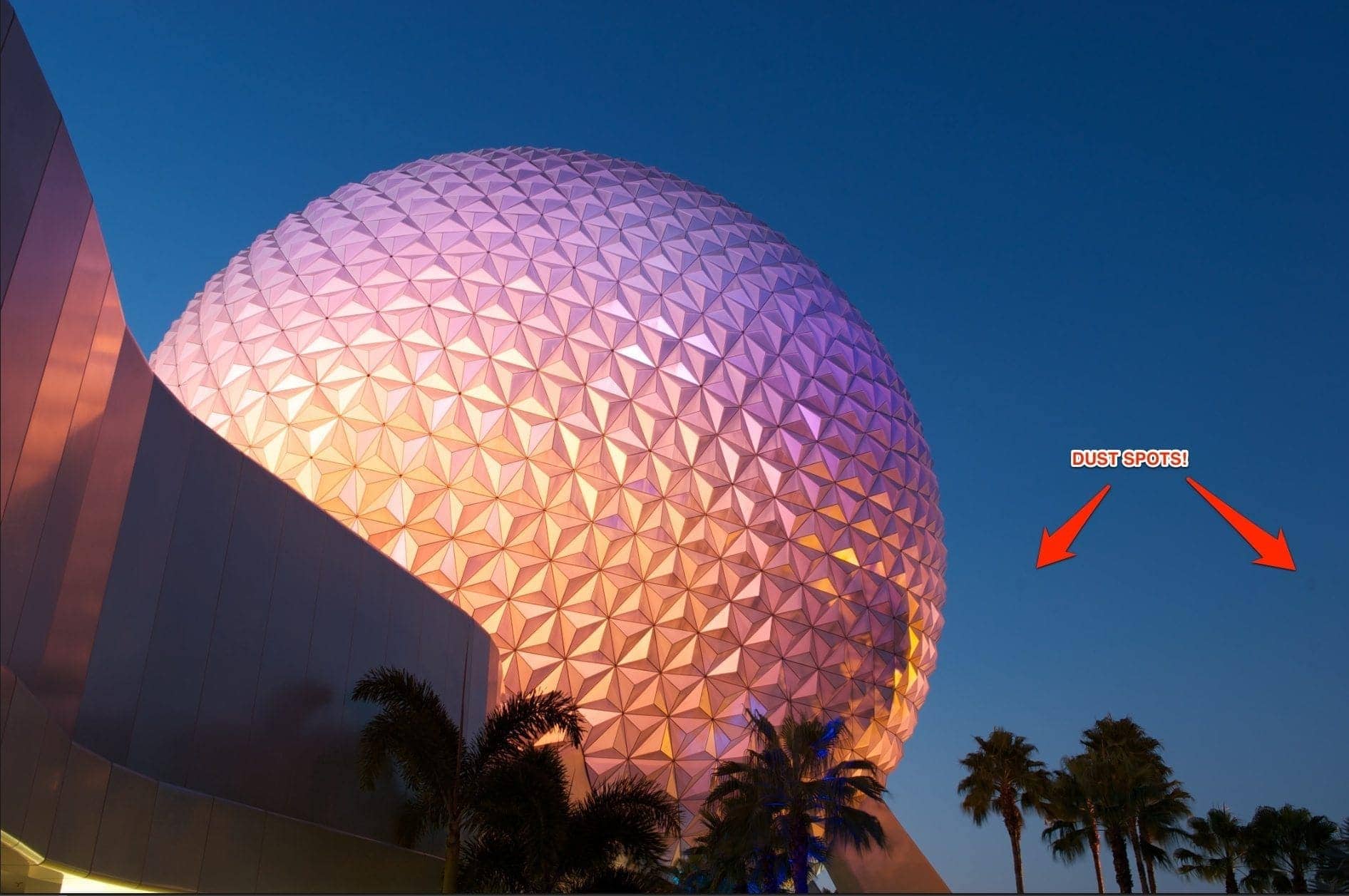
Unsightly things, aren’t they? Let’s erase them!
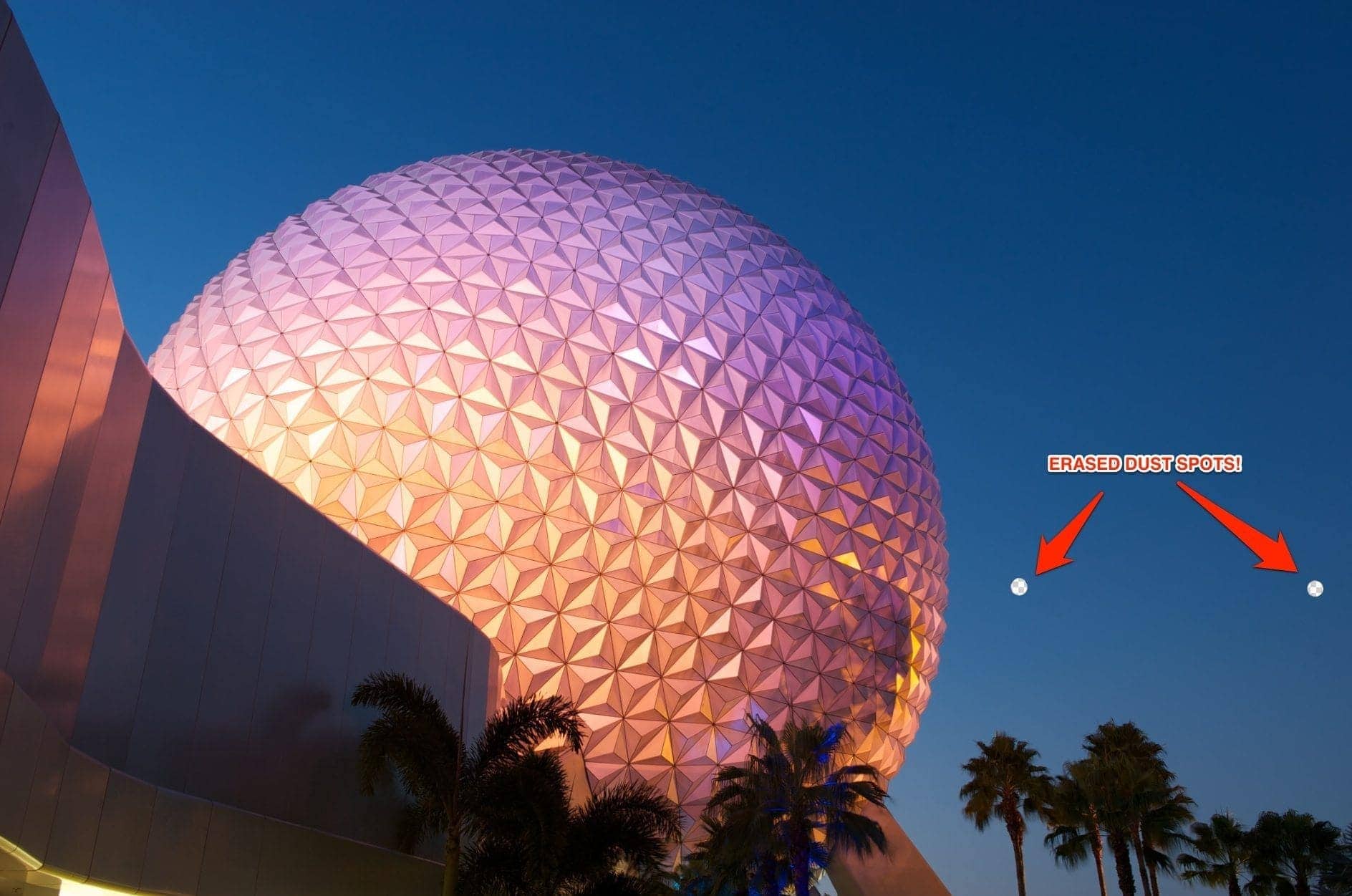
Mission accomplished! OK, maybe that didn’t work out quite the way we expected. Let’s move on to the next of the seven words you can never say in Photoshop.
2: Burn
Let’s take a look at this photo of Nemo. Overall, it’s kind of underexposed. That’s not necessarily a bad thing, because I only want parts of it to stand out in the viewer’s mind.
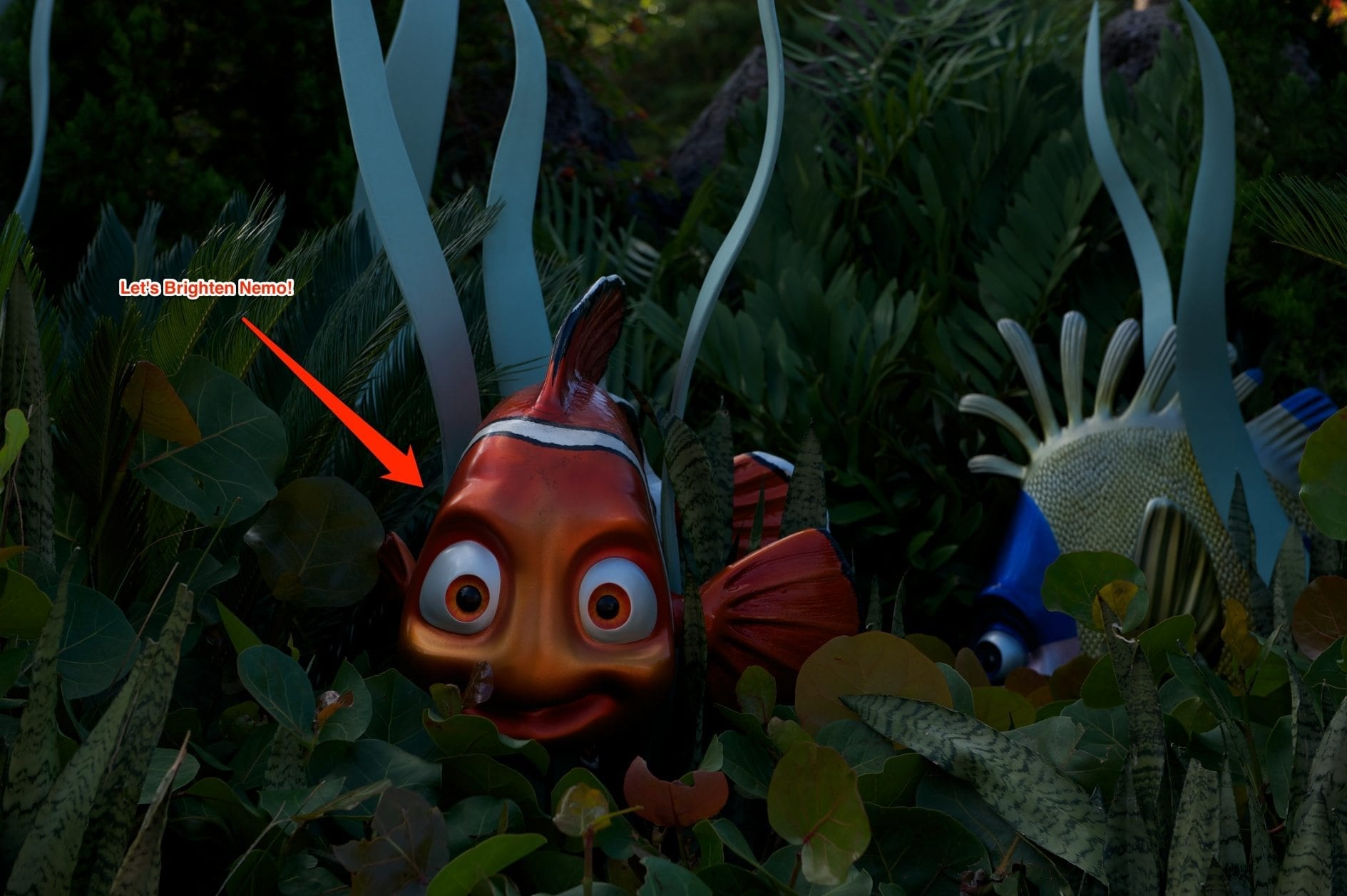
Nemo just doesn’t pop out of this image, so let’s help him out a bit. First, I hit “B” for “Brighten…”
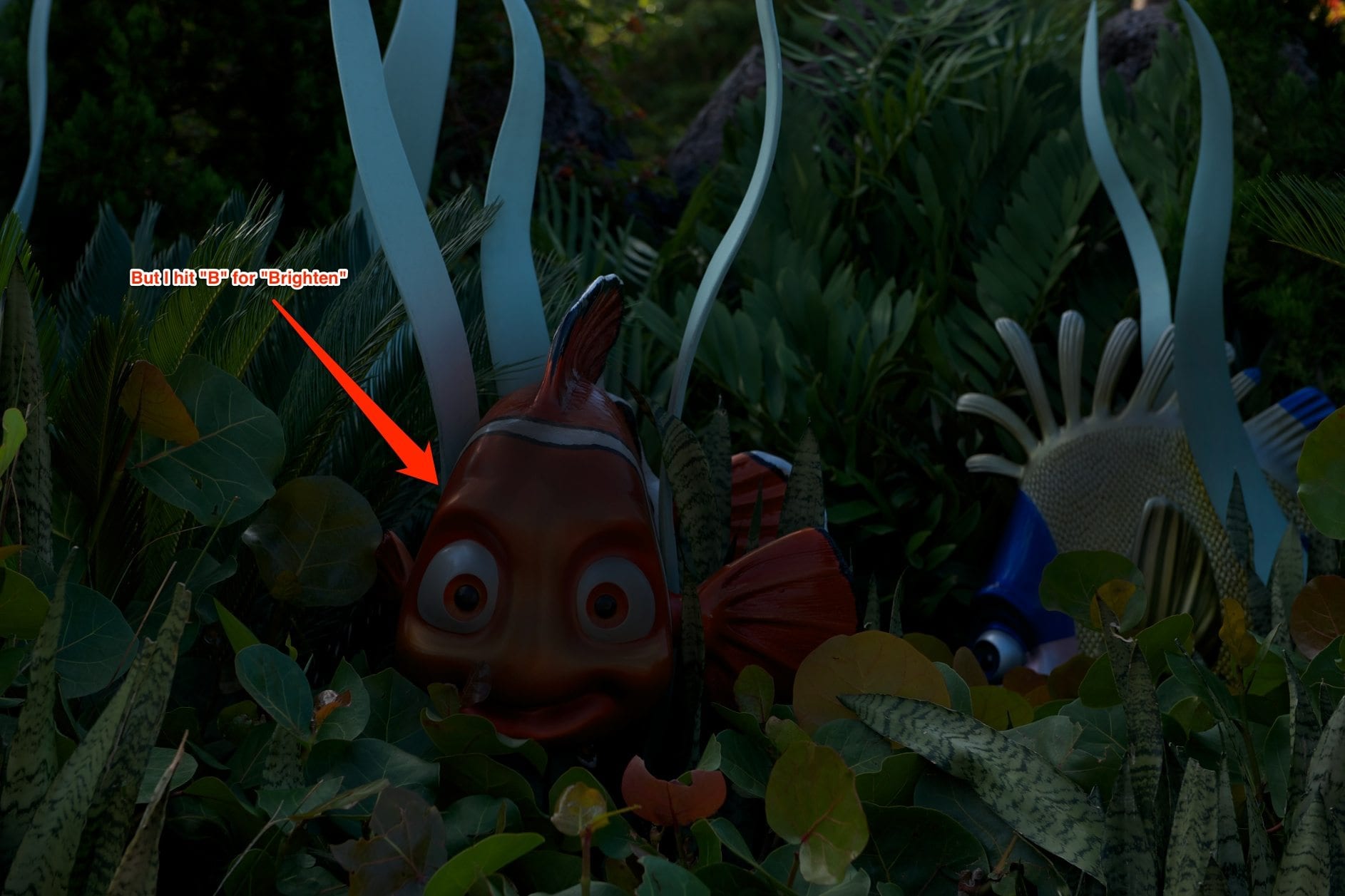
Where’s Nemo? Oh, wait. “B” isn’t for “Brighten”, it’s for “Burn.” Maybe I got Burn and Dodge confused. Why don’t they just label these tools Lighter and Darker? I don’t set Photoshop to keep much History, because that eats up your RAM. So I’ll have to find some other way to correct my problem now.
3: Dodge
Let’s try using the Lighten Dodge tool. If we made Nemo dark, then we can make him Light. Dodge, fishy. Dodge!
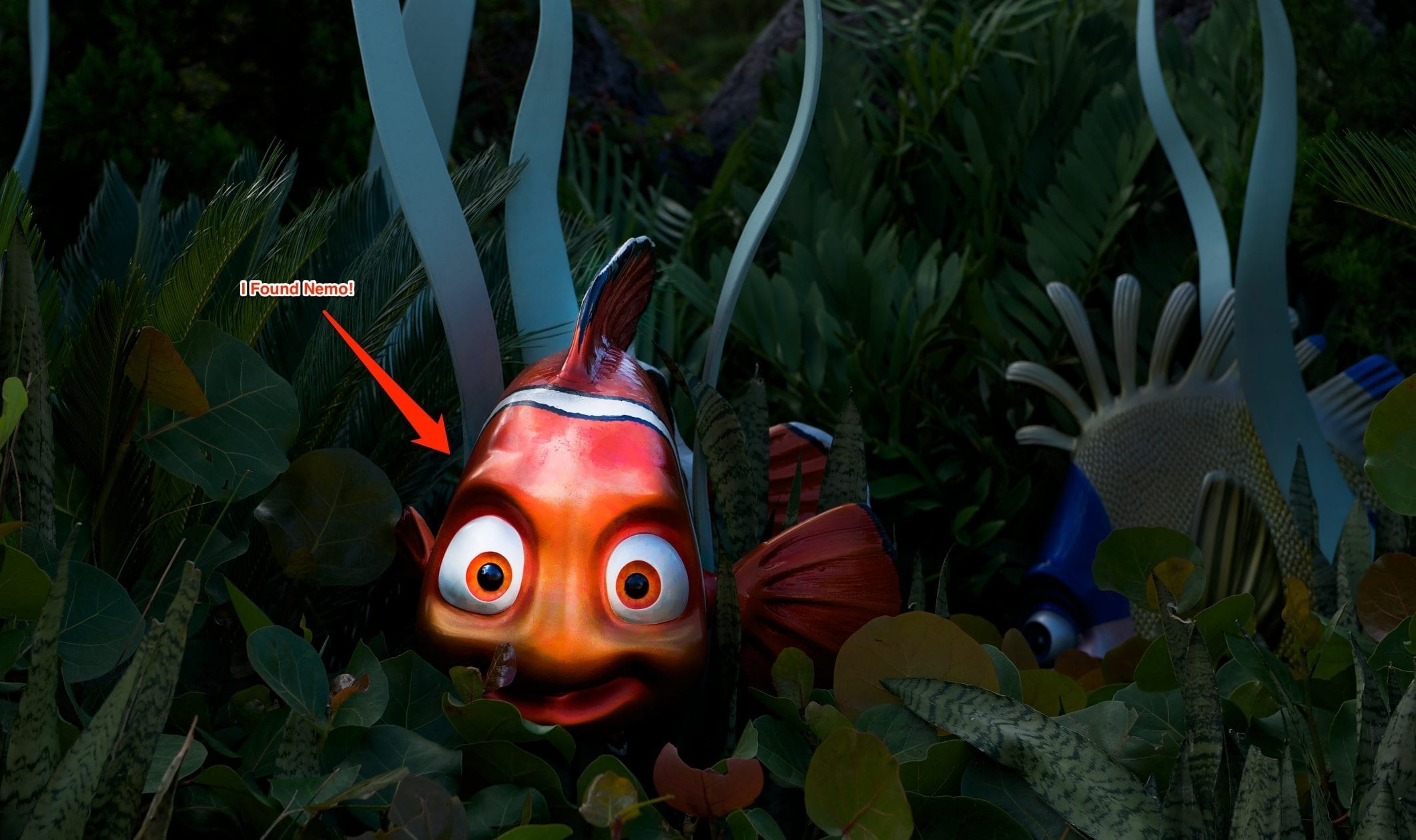
There you go, I found Nemo! Now he’s nice and bright and really pops out of that underexposed scene. Hmm, what’s that on his forehead?
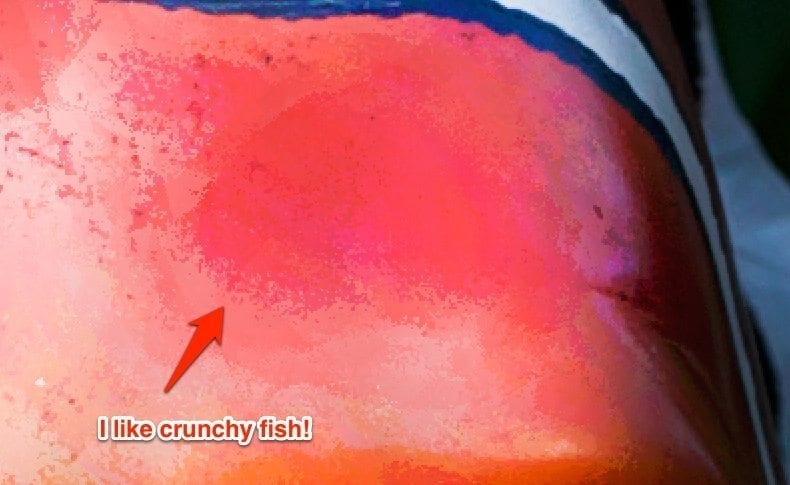
It looks like Dodging him after Burning him has crinkled up his skin a bit. That’s OK. this is just going on the Web. No one will ever look close enough. Besides, I’ve heard that detail is a good thing to have in photos.
4: Flatten
For some reason, it’s considered bad form to Flatten your image. That’s just mind-boggling. After all, the result is going to be a flat image, so why not have a flat file? Just think of all the space you can save by getting rid of those superfluous layers. Take this image I posted last week as an example.

This is an HDR photo that came from five different exposures. I blend them together to get the amount of exposure that I want in the overall image, and then I Flatten the file once I’m done with all of my edits.
After I posted this image, I realized that I just wasn’t happy with that sky. You see, I made the mistake of processing this in the evening to crank out a blog post and missed an important detail because I was concentrating on too many things at once.
No worries, though! I learned my lesson from the Dodge & Burn débâcle above and I increased my history depth. Now just let me open that file again and hit Undo.
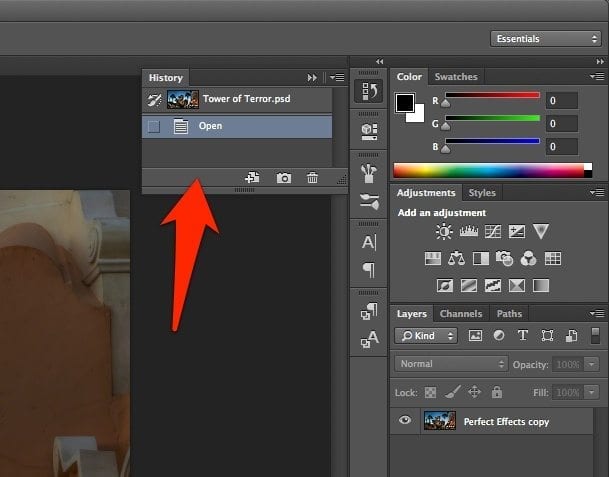
OK, maybe I misjudged how History works. I guess you can’t Undo a Flatten after you’ve saved the file. Maybe that’s why you can’t use that word in Photoshop.
5: Rasterize
Rasterization happens when you change Text or Shapes from vectors into pixels. I’m not sure why this is a bad thing. Clearly, we aren’t destroying any pixels. We’re creating them! In fact, some of the cool filters require rasterization before they’ll work. Photoshop wants you to rasterize.
Let’s start with an image and add some text to let people know what they’re supposed to feel when they see it. I do that because I’m here to help.
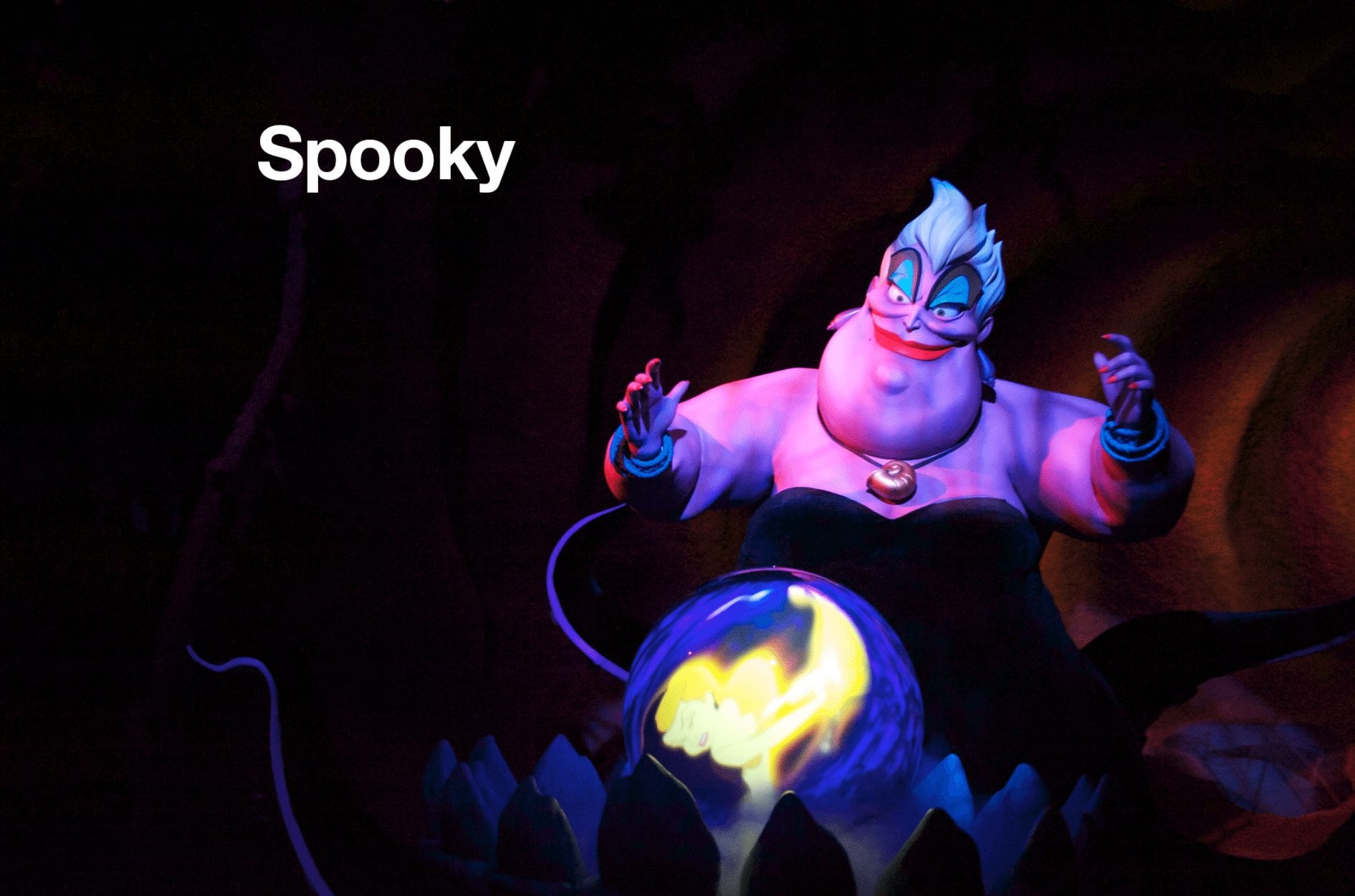
OK, the text is clear and I didn’t make any spelling mistakes. However, it looks a bit boring. I’d like to add a filter to the text. As soon as I try to add a filter, I get this warning notice.
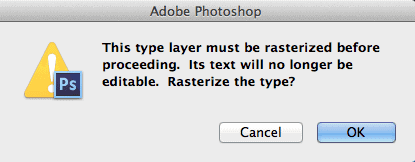
It’s just like I told you. Photoshop wants you to rasterize. Here we go, folks. We’re creating pixels. Those non-destructive nazis can’t smite us for this, right?
Of course not. We’re playing by the non-destructive rules that say you can’t harm any pixels. There are no pixels in type, so we’re good. Let’s just rasterize this puppy and get on with our filter.
Once that’s out of the way, we get an image like this one.
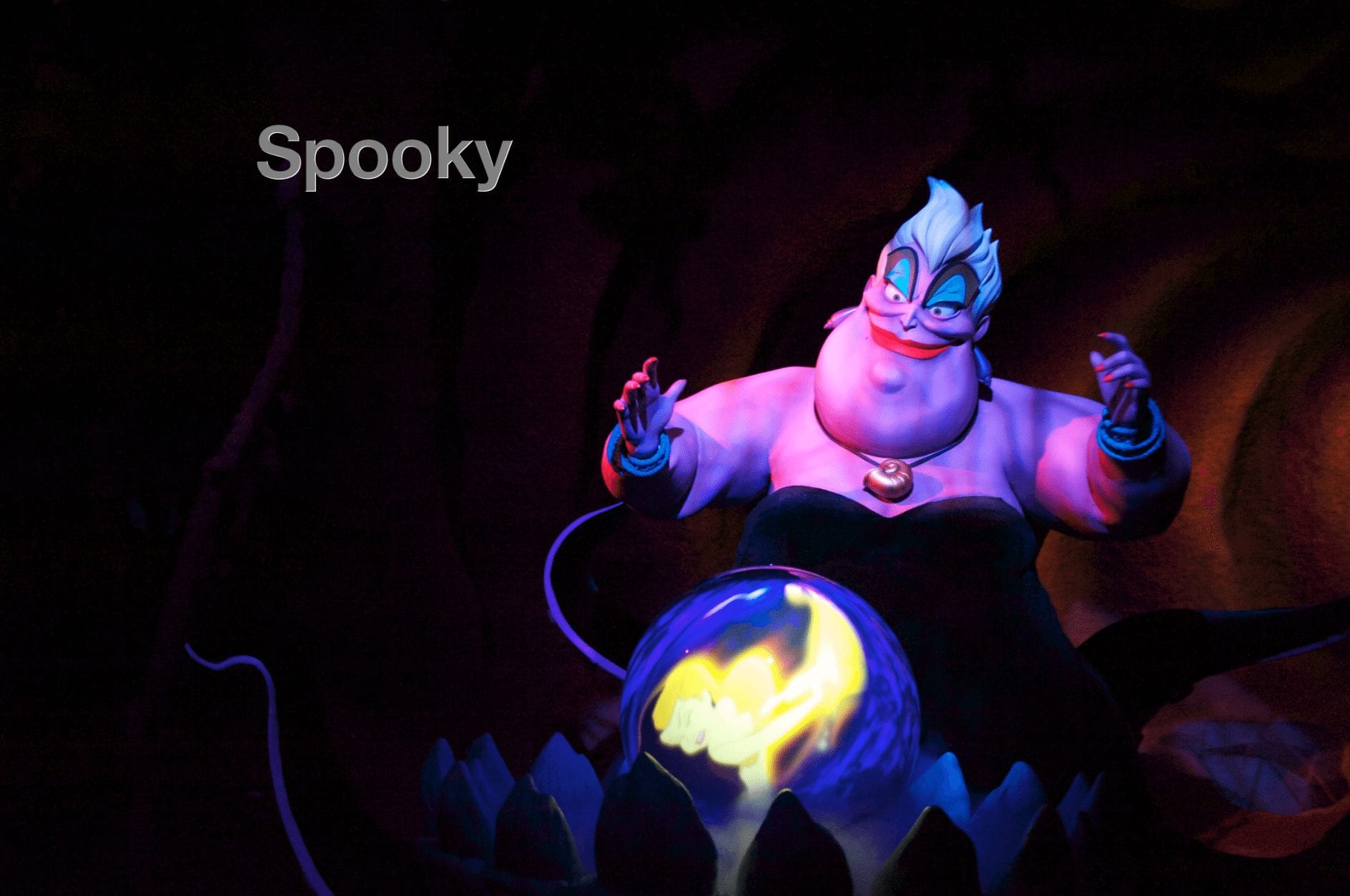
OK, we rasterized the text so we could apply an Embossed filter. Nifty, huh? You know, the only thing is that I’d like the text to be a little bigger and maybe change the font to something spookier than Helvetica. I just need to get my Type tool and select the text and…
Oh, right. It’s not text anymore. Moving right along.
6: Adjustments
Look under the Image menu for Adjustments. Lots of power in here. You can make some glorious changes with Image Adjustments. Rather than do something drastic, we’re just going to make a slight change. Take a look at the yellow shirt on the model below.
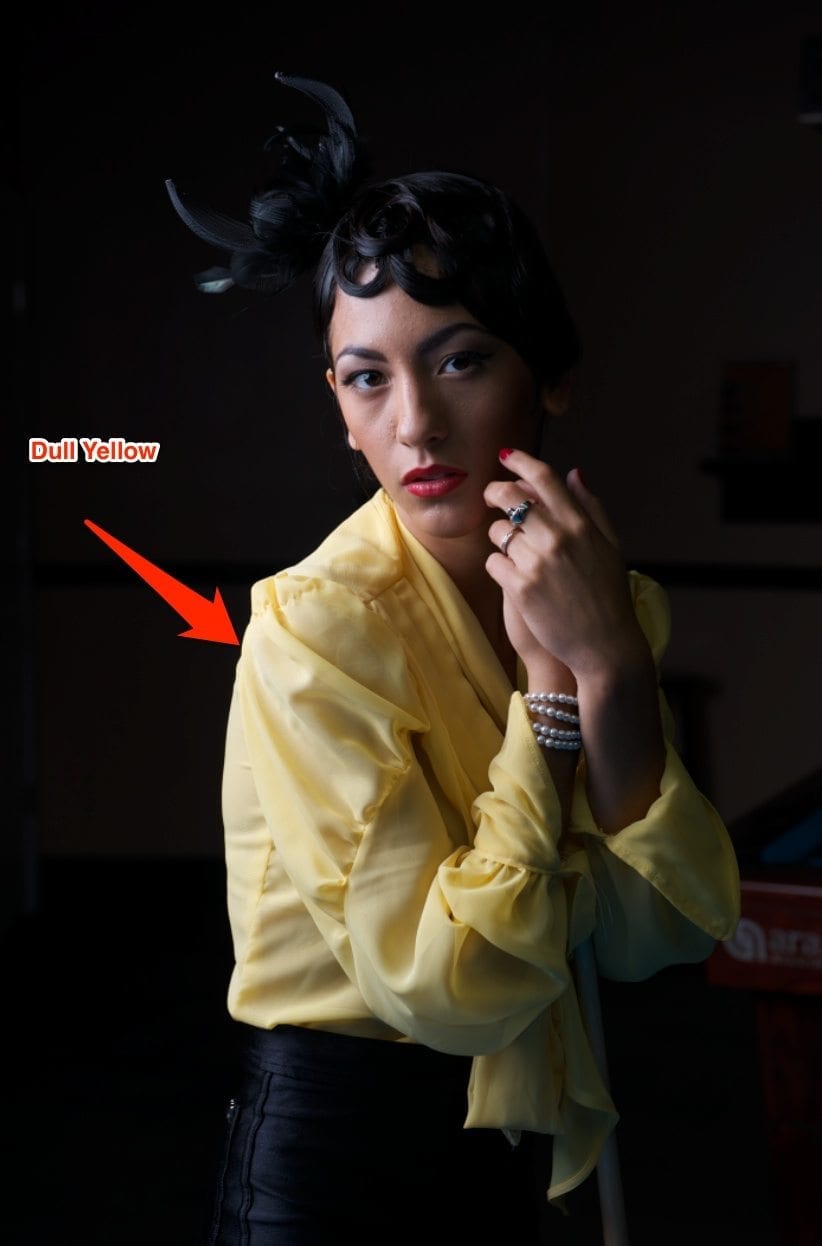
Looks kind of dull, doesn’t it? Let’s make it pop with a Hue/Saturation adjustment. It’s pretty easy, since that’s one of the presets that ships with Photoshop.
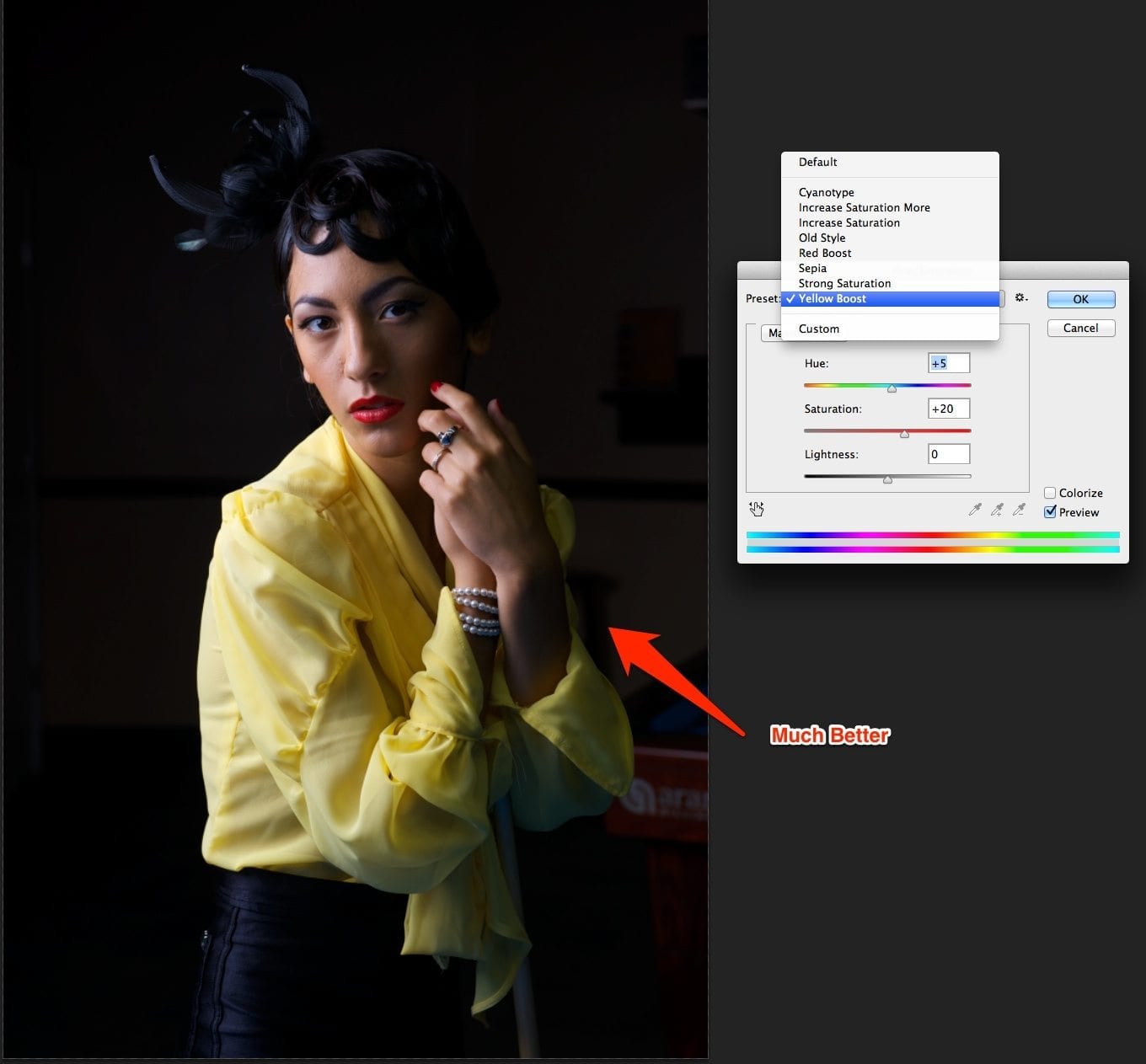
This is a global adjustment. You can tell that the changes applied directly to the image layer.
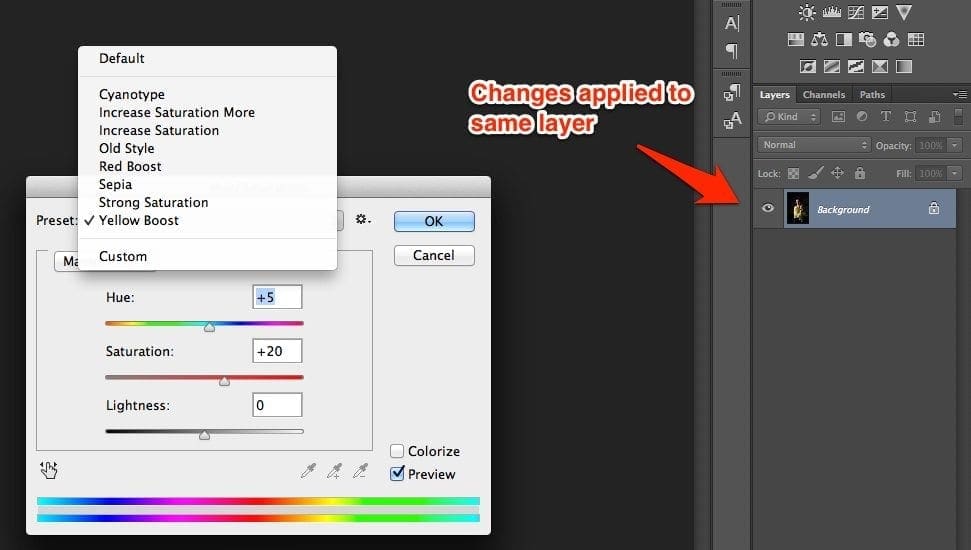
Why does this matter? If you don’t like it, you can just hit Undo and remove the adjustment, right? Let’s save the file and re-open it.
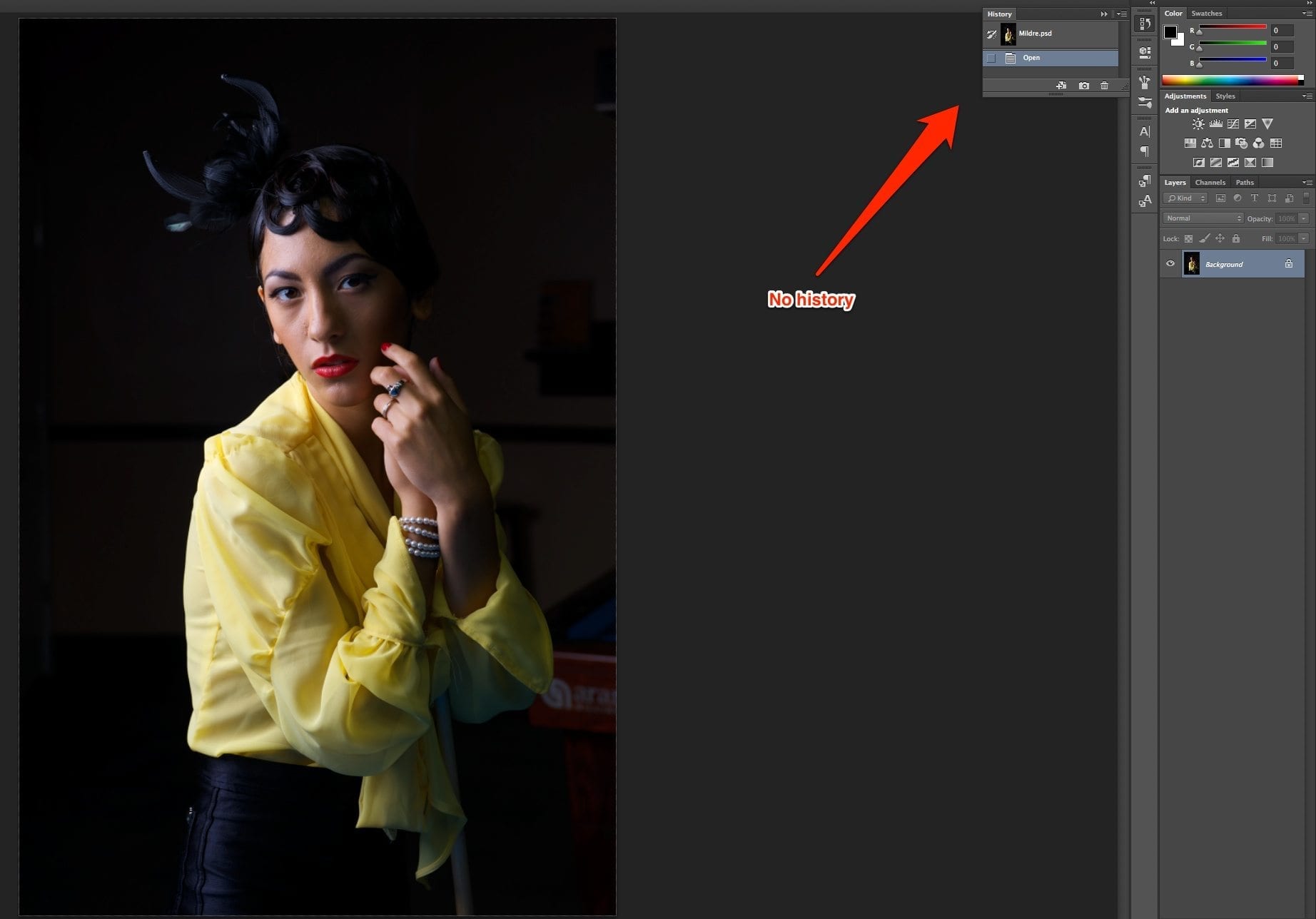
Hmm, no history after I re-open the file. If I wanted to change or undo that Image Adjustment, I’d be out of luck. That must be why they invented Adjustment Layers. Then you could change your mind later, as long as you didn’t Flatten the image.
7: Filters
I love filters. Who doesn’t? Filters are just like Adjustments – they do cool stuff! You can distort, you can blur. You can sharpen or swirl. All of those effects seem so cool. Just imagine what you can do with a portrait when using filters.

We have a lovely young model here, but perhaps we want to add some skin softening. I know, let’s blur it!
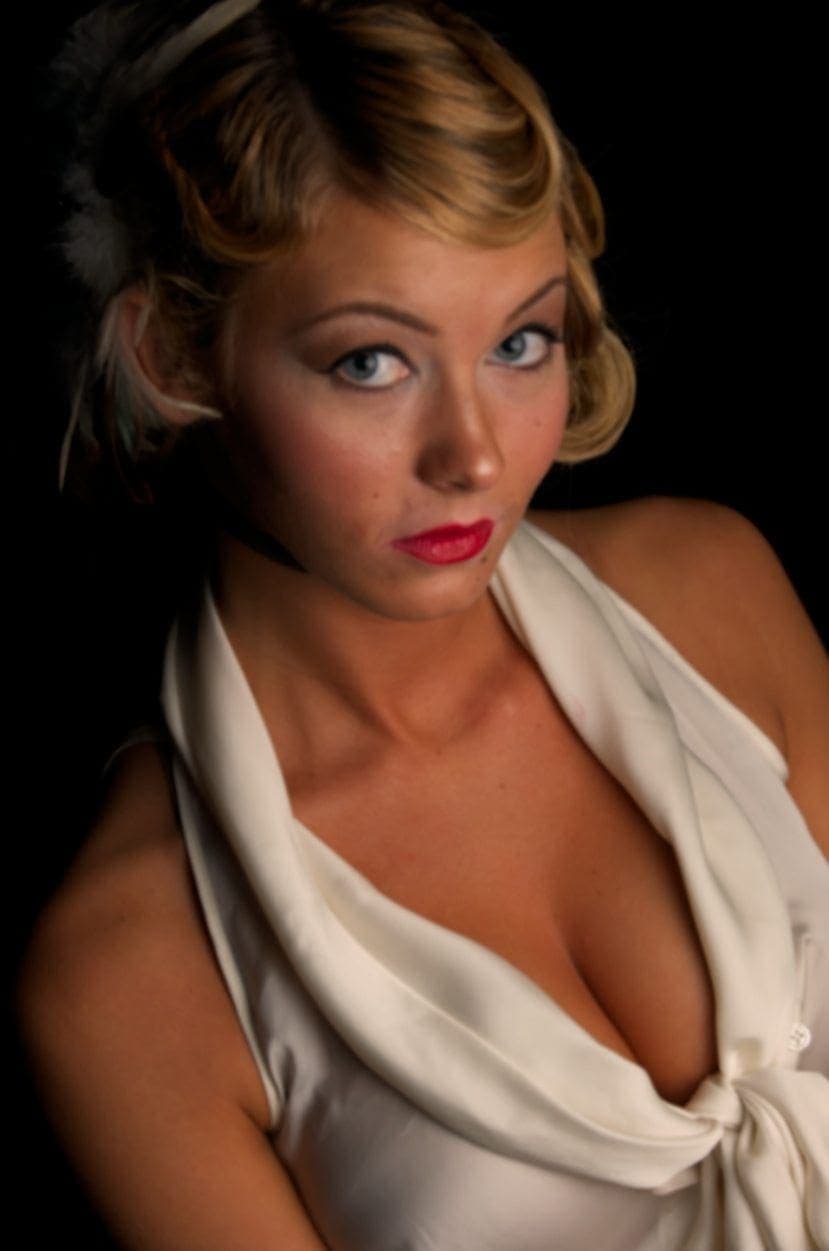
There we go. I just added a 5 pixel Gaussian Blur. It really smooths out her skin. It also smooths out her eyes, hair and everything else, too. Don’t worry, we can just use the Erase tool to clean that right up.
Oh, wait. It’s all on the same layer. Well, maybe nobody will notice.
Non-Destructive Editing is a Waste of Time
As you’ve clearly seen demonstrated here, pixels were meant to die in the service of your convenience. Don’t believe all that stuff you hear about the importance of non-destructive editing in Photoshop. Nobody really looks that closely at your photos, anyway.
Want to learn more about Photography software? Click below to check out articles about Adobe, ON1, Skylum, and more.
Photography Software Articles