
Dealing with Writer’s Block

I read a lot of blogs. Probably too many, but I have a lot of interests. Sometimes I find the same topic on blogs in the same category. For example, a new product release or some kind of announcement ends up being displayed on at least half a dozen of the photography blogs I read.

A few of those blog authors recently mentioned writer’s block as an issue for not posting something. It happens. There wouldn’t be a name for writer’s block if a number of writer’s didn’t feel blocked. I think that’s why I see so many press releases being repeated on blogs. They don’t get any financial reward from pimping the product. It’s just easier to re-hash a press release than it is to think up some original content.

My problem isn’t coming up with original content. Instead, I have to deal with finding the time to develop that content to my satisfaction. The ideas are all over the place, though. You can take anything and make it a topic. Deal with writer’s block by writing about writer’s block, perhaps. Take any part of your life and explore it.

Just today, I considered:

  • Writing about writer’s block
  • Writing about message board discussions
  • Writing about your First Amendment rights (because of the message board discussion)
  • Writing about people who lack the ability to analyze and think beyond surface impressions (don’t ask)
  • Writing about the inaccuracy of common knowledge
  • Writing about new HDR software from NIK (but I don’t pimp product releases very often)
  • Writing about the need to understand the exposure triangle
  • Writing about the need to practice, make mistakes, and practice some more
  • Writing about my favorite subject
  • Writing about over-processed images
  • Writing about hypocrisy of whining about over-processed images and then over-processing them yourself

I could have written about any of those things. If you still don’t feel it and you just can’t write a word, then do what I do.  Dig out a photo, process it, and slap it on the blog.

Rachelle - © Copyright 2010 by William Beem

September 1, 2010 - 6:42 AM

gerry rosser - I seldom comment on portraits, formal or otherwise, that I see when perusing pix online (which I do a lot). I actually have a bit of weirdness in my about pictures of people. Hard to describe. I sometimes, when in a hurry, just say “People look how they look.”

On the other hand, I appreciate good photo technique (perhaps even more when I don’t know what techniques were applied!).Your image here has that look of being carefully prepared, and I like that.

September 1, 2010 - 6:44 AM

gerry rosser - Typo in last comment: “my” should be “me.”

My definition of “writer’s block”: Having nothing to say.

Timescapes

Every once in a while, I check the incoming links to see who sends traffic my way.  One that surprised me is TIMESCAPES.  I don’t know why they sent traffic my way, but I really enjoyed looking at some video of the projects they have underway.  They’ve posted to Vimeo and I’ll share one here.  Check out their blog to keep tabs on their progress and see some other videos. I wish I had time to do something like this project.

Timescapes: “Death is the Road to Awe” from Tom Lowe @ Timescapes on Vimeo.

August 27, 2010 - 8:05 AM

gerry rosser - Wow! Great find. Makes me want to learn how to do video. Wait, it’s hard enough making still photos I like.

August 27, 2010 - 8:11 AM

William - I was thinking something similar. I’m still not sure why I get incoming traffic from that site, but the stuff looks really cool. I can do stop motion with my D700 and MC-36 controller, but I’d still have to learn to build the rails for movement and finish the final product. It’d be a fun project if I had the time.

Photo Etiquette

Alina - © Copyright 2010 by William Beem

Do you remember this photo? I just posted it a week ago. It’s probably my favorite image from the day and I elected to give it a very light finishing in photoshop.  That means I added a slight bit of contrast with Curves, I brightened her eyes and added a bit of contrast to her iris, and then I brightened her teeth and highlights in her hair. She’s a beautiful model and I didn’t feel like she needed a heavy-handed manipulation. This was my photo and how I intended to present it to the world.

Shortly after I posted this image, I received a note telling me, “Nice shot but you have to fix her eyes.” OK.  Everyone has an opinion. Let’s say that I was mildly annoyed because I’d already attended to the eyes in a manner that suited me. Then I found the next message from the same person:

I’ve been spending time on the fiip.net site. There are some GREAT senior and portrait photographers there.

I used your picture and tried to do a couple of techniques I see on pictures posted there.

I sharpened and whitened her eyes, removed the lines under the eyes and gave a slight surface blur on the face.

Again, it’s a great shot.

Along with that message was my photo with his edits:

Now I’m no longer mildly annoyed. Instead, I’m pissed. I kept my reply simple by stating that I didn’t choose to employ those edits because I didn’t believe she needed them and that I thought my approach was a bit more natural. In the past, I’ve made the same edits that this guy made. Over time, my tastes have changed and I’m less pleased with this look.  However, it isn’t as much about the look he employed that upset me as it was the notion of taking my image – without first asking permission – and making these changes.

When I shoot images, I register them with the U.S. Copyright office before I post them. Technically, you have a couple of months to register them after publication, but you have to specify the difference between published and unpublished work.  I may be wrong, but I think that would require a separate registration fee and double the cost of registration.  That’s why I hold back from posting until I’ve completed the registration. Now, what good does that registration do in a case like this? Not much, if anything at all.  My concern here isn’t about someone who used my images to make money (so I could cash in on their ignorance!).  Instead, it’s about the etiquette of taking someone else’s photos and changing them.

When we post something on the Internet, we know that someone is going to take it. If it’s for personal use, I generally don’t have a problem with it. If you see one of my photos and you think it would make a nice wallpaper, I don’t mind if you use it. Try selling it or using my photos to make money without a license from me and I’ll get miffed and come after you. Most legitimate businesses won’t do something like that because it’s not worth the headache.

This, however, is a different issue. I do not honestly believe that the person who made the changes had any malicious intent. I think he was just ignorant of the concept of asking before taking. That shows how ubiquitous the problem has become – a man who makes his living as a photographer has no qualms about taking someone else’s work and modifying it. To my mind, that’s just wrong. Had he asked me if he could have used this image to demonstrate another look, I may have well granted permission and we could’ve discussed the pros and cons from there. Instead, it’s like coming home to find your neighbor went into your house to get some eggs. No real harm done, but I still feel slightly violated.

My audience on this blog is primarily other photographers. When I look at the incoming links, it’s generally from another site related to photography. My message to this community is pretty simple. It’s the same thing you probably learned growing up. If you want to use something, ask first. It’s not that hard. It’s just the courteous thing to do.

August 26, 2010 - 10:56 AM

Greg Kopp - When US law was changed in 1989 to adopt the Berne Convention of 1886, it removed all need to copyright a photograph by filing it. The copyright is automatic.

August 26, 2010 - 11:26 AM

William - That’s true. However, you cannot earn all of the damages possible if you don’t register your work.

Think Tank Airport Takeoff & Artificial Intelligence

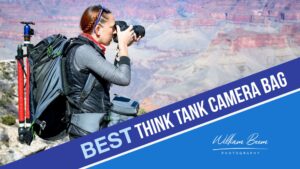
Over the course of a lifetime, a photographer will buy more camera bags than cameras. It seems we’re perpetually in search of the One True Bag. It’s like a search for enlightenment.  You never really get it, so you have to keep trying. Inevitably, we end up with stacks of bags that have failed to quench our search for perfection. I just added two more items to my own stack of bags.

My old Domke bag lies in a closet, still cradling the film cameras that I haven’t touched in six years. I have a few Crumpler bags that were the most satisfying. My 6 Million Dollar Home was fine when I had a D70, a lens and a flash. I moved to the 7 Million Dollar Home when I upgraded to FX cameras and fast glass. There was even a foray with the Whickey & Cox backpack so I could carry my camera gear and laptop in one bag. Sadly, it carried less camera gear than the shoulder bags and rarely gets used.

That meant I often traveled with a camera bag, a laptop bag and a suit case that carried my tripod and clothes.  There was always a stop to check-in luggage due to the two-item limit for carry-on baggage. If I couldn’t get a direct flight, then that meant lugging those two bags through another airport for an hour or two. There had to be a better way. That’s when I decided I needed a rolling bag. Putting all that gear in one bag makes it easier for carry-on and layovers. At least, it seems that way in theory.

A number of people seem satisfied with the Think Tank Photo brand.  I’ve looked at a number of other products from different vendors and didn’t like the build quality or some other aspect of the product. Another concern was taking the bag in places where it couldn’t roll.  Although I don’t think this will happen often, I wanted the ability to carry the bag like a backpack.  Schlepping a loaded rolling bag by its handles over a distance could get awkward and tedious. As it turns out, my friends John & Susan have the bag that met my criteria – the Think Tank Airport Takeoff.

The construction is sturdy, it’s very configurable and has capacity to hold more gear than I need.  That gives me room to grow into the bag. It’s still not perfect, though. The laptop compartment is an external compartment that doesn’t lock. There is a security cable and lock built into that external pocket, but it won’t attach to a laptop. Instead, you have to purchase yet another product – the Artificial Intelligence.

Apparently, the idea is that you loop the security cable of the Airport Takeoff through the handle of the Artificial Intelligence and that’s supposed to deter laptop thieves. I hope that’s not the only protection it offers, because it’s incredibly stupid. All a thief needs to do is unzip the Artificial Intelligence and slip out your unprotected laptop.  That’s right, there is no provision to actually lock the zipper pull has a loop that could let you hook it to a D-ring on the side of the bag. Unfortunately, the pull is fabric – like a thin bungie cord – and easily cut. There is nothing on the metal zipper itself to secure it from opening. You can protect your Artificial Intelligence, but not the computer it contains. In my opinion, it’s a glaring flaw. In hindsight, I should have bought a PacSafe InfoSafe. I may do that and return the Artificial Intelligence. Perhaps I’m wrong about the AI.  It’d be nice to find out, but it’s not clearly apparent how this case protects its contents.

Laptop security aside, this case appears to be just what I wanted. There’s a tripod holder built-in on the side, so I no longer have to worry about carrying it as a separate item or losing space in my suitcase to carry it along.  The last time I took my tripod on a trip inside my suitcase, I had a nice little note from the TSA telling me they’d inspected it. I guess a few pipes inside a case draws attention on an X-Ray screen. I’m also pleased with the array of organizer pockets. You can pop open the top of this case and find what you need at a glance.

This is less of a review than a first look, as I haven’t taken it out on a trip yet.  After I’ve had some time with it, I’ll come back if there’s something substantial that wasn’t initially obvious. Overall, I’m very pleased with its potential.

Make a Wish

Make a Wish - © Copyright 2010 by William Beem

We’re not in Morocco. This is part of the Moroccan Pavilion at EPCOT.  Strangely enough, it’s the only pavilion there run by the actual government of the nation being represented, instead of by a corporate interest.

I’d planned to go back out to EPCOT this evening to look for a few more opportunities, but it’s pouring down buckets of rain over my house right now. Florida in August is hot and muggy enough, but adding water to the mix causes steam and greater mugginess. Better I stay here for now and let the dogs sleep behind me while I process some old photos, like this one.

M o r e   i n f o